A keyboard switch may fit the mounting plate yet fail to register a single keystroke. This happens when buyers match switches by appearance or pin count without checking the PCB interface. A magnetic switch, for instance, cannot operate on a conventional mechanical-contact PCB simply because its housing dimensions look compatible.
For anyone researching Mechanical Keyboard Switches for Beginners, the first purchase should begin with three questions: Does the switch fit the keyboard? What happens mechanically during actuation? And will its operating characteristics remain acceptable once installed in a complete keyboard?
Gateron produces various switch families with different contact mechanisms, spring configurations, housing materials and acoustic profiles. The choice of switch family often depends on the platform and operating conditions of the keyboard you intend to use, not just the switch color or family you prefer.
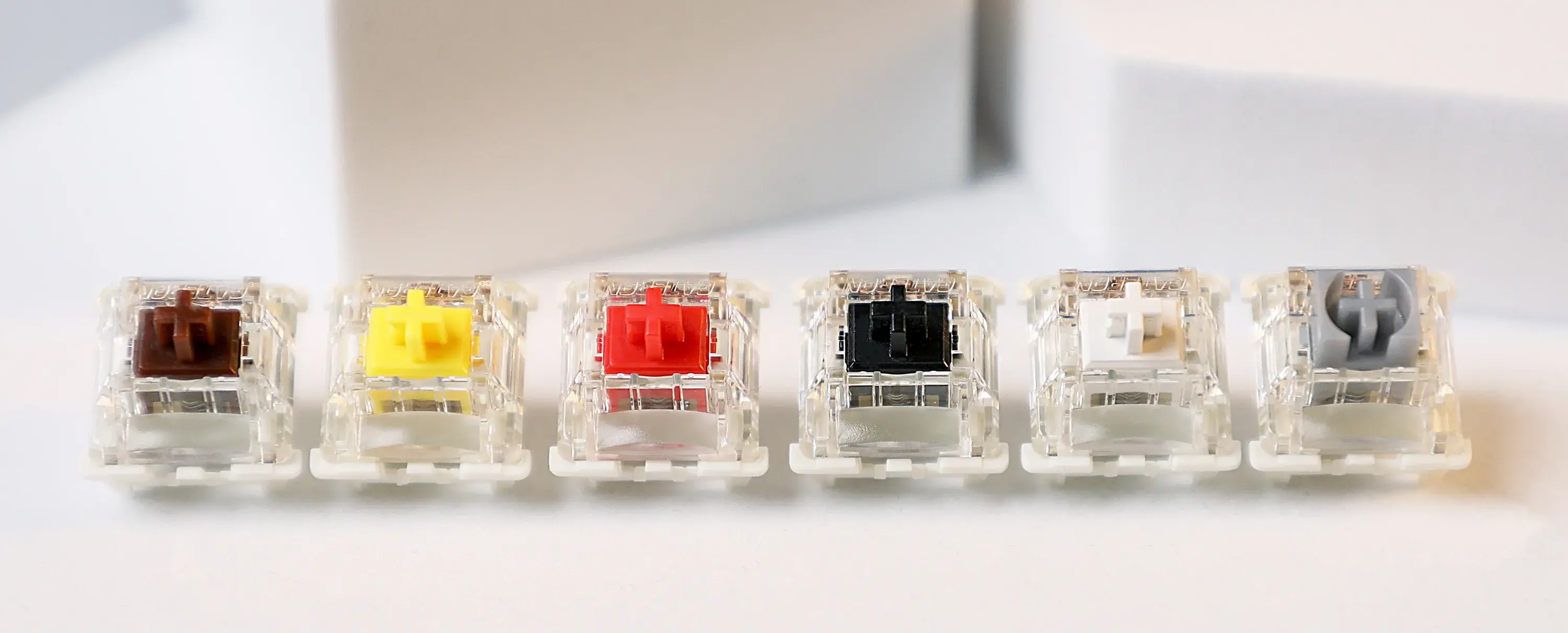
1. Will the Switch Actually Work With Your Keyboard?
In mechanical switches, closing the metal contacts completes the circuit and registers the key press. In Hall Effect switches, the magnet moves relative to a sensor mounted on the PCB of the keyboard. Hall Effect switches support variable actuation points, but for this to be useful, a keyboard would have to have a sensor and corresponding firmware.
What about mechanical switches?
- 3-pin switches and 5-pin switches have twoterminals with a center post. 5-pin switches have twoplastic legs that help with PCB alignment.
- Hot-swap sockets of the same design allow tool-less switch replacement, though slight variations in their footprints may affect compatibility.
- Plate and Housing: If design is incompatible, it may result in switches not seat fully and be unstable.
- LED Clearance: Whether a switch fits with LED lighting depends on the housing design and the position of the LEDs.
Gateron G Pro 3.0 Series switches, have a reinforced pin for shape retention and are available in 3-pin and 5-pin versions.
The KS-33 Low Profile 2.0 Switches are the compatible with the Gateron Low Profile Keyboard series.
It is always important to verify the PCB footprint, switch type, and socket type of a keyboard prior to purchasing switches.
2. What is the Difference Between Linear, Tactile and Clicky Switches?
- Linear Switches: No resistance and no feedback as stem moves.
- Tactile Switches: Slight resistance and a slight feedback bump as the stem moves.
- Clicky Switches: Feedback with a click as thestem moves.
A switch can be defined as linear if there is no deliberately engineered tactile feedback bump. A switch can be defined as tactile if there is a localized resistance change. A switch can be defined as clicky if there is an audible event. Though the nature of feedback may change, it does not directly determine the effect a switch has on the speed and accuracy of input.
For an initial comparison, Gateron offers several conventional mechanical options.
|
Gateron Switch
|
Feedback Type
|
Operating Force
|
Pre-Travel
|
Selection Consideration
|
|
G Pro 3.0 Red
|
Linear
|
45 ± 15 gf
|
2.0 ± 0.6 mm
|
Light, uninterrupted travel
|
|
G Pro 3.0 Brown
|
Tactile
|
55 ± 15 gf
|
2.0 ± 0.6 mm
|
Tactile feedback without a dedicated click mechanism
|
|
G Pro 3.0 Blue
|
Clicky
|
60 ± 15 gf
|
2.3 ± 0.6 mm
|
Audible feedback during typing
|
|
KS-9 Silent 2.0 Yellow
|
Silent Linear
|
50 ± 15 gf
|
2.0 ± 0.6 mm
|
Dampened impact noise
|
|
Oil King
|
Linear
|
55 ± 5 gf
|
2.0 mm
|
Factory-lubricated travel with higher bottom-out resistance
|
For office keyboards, tactile or silent switches may be worth checking out first. Linear switches are commonly used in gaming keyboards, but spring resistance and actuation distance should be selected based on the input habits of the user.
3. Why Does a Lighter Switch Sometimes Feel Heavier?
Operating force is only one point on a switch's force-displacement curve.
The spring's preload, compression rate, and geometry determine how resistance develops through the stroke. Tactile switches introduce additional force variation through the interaction of the stem and contact mechanism.
Below are the specifications of two Gateron linear switches:
- G Pro 3.0 Red: Nominal operating force of 45gf with a listed 50gf bottom-out force.
- Oil King: 55gf nominal operating force.
The difference in bottom-out force is greater than what the operating force figures show. A user who regularly bottoms out each keystroke is more likely to notice the difference than someone who releases keys shortly after actuation.
Pre-travel describes how far a key must be pushed before it is electrically registered. Total travel is from the starting point to the mechanical stop.
From a design standpoint, reducing pre-travel decreases the distance needed for actuation. A very sensitive configuration can result in undesirable inputs. It does not reduce keyboard latency.
For technical evaluation, compare:
- Force at actuation and at bottom-out
- Tactile peak position and magnitude, where applicable
- Pre-travel, total travel, and release behavior
- Variation between sampled switches
4. What Do Housing Materials and Factory Lubrication Change?
Switch acoustic behavior is complex and cannot be described by stem type alone, such as linear or tactile.
POM stems have favorable sliding characteristics. The rest of the housings can be made of PC and Nylon. With PC, the upper housing can be made transparent to let light through, and Nylon helps with stiffness of the housing and provides a minor contribution to the overall sound dampening.
There are several factors that influence the overall sound of a switch. Contact geometry and lubrication distribution are two of the many factors that affect switch sound.
Most of the G Pro 3.0 variants have factory lubrication; G Pro 3.0 Blue is manufactured without factory lubrication.
KS-9 Silent 2.0 has dampening elements in the stem to suppress the noise made when the switch bottoms out and when it returns. This can also make the switch feel softer.
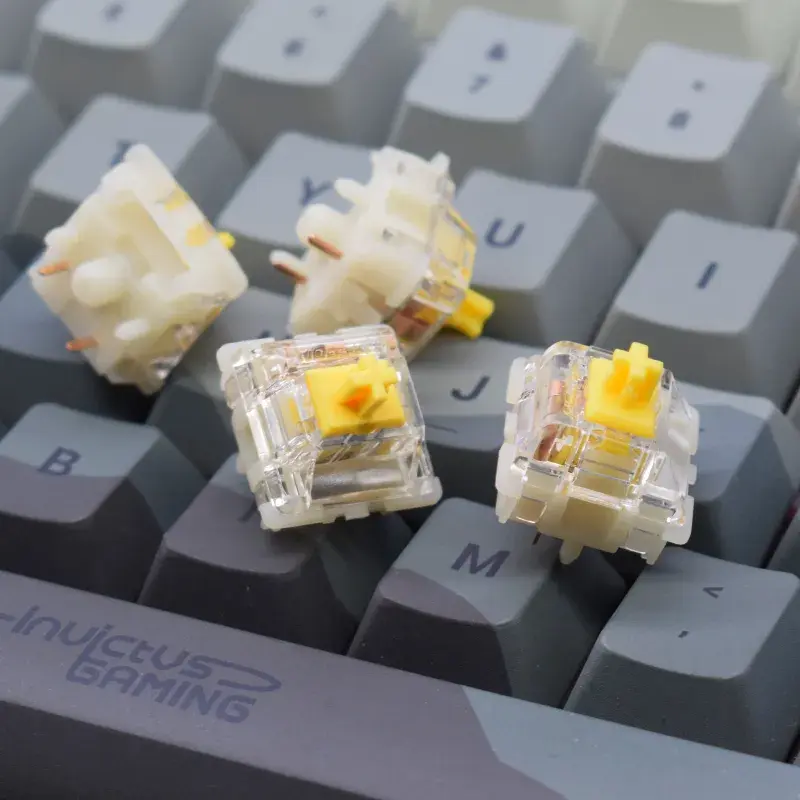
Dampened switches can only help to reduce noise, they do very little to stop sound from other sources, like keycaps, stabilizers, the PCB, and the case.
- Electrical registration: Test repeated actuation and release on the PCB. Look for missed inputs, repeated signals, and inconsistent resets.
- Force consistency: Compare samples across a complete stroke. A force-displacement measurement is more informative than pressing a switch by hand.
- Acoustic behavior: Record typical use with the actual plate, keycaps,and case. Listen for spring ping, impact noise, and stabilizer rattle.
- Repeated Operation: Check electrical response, mechanical stability,and return behavior. Establish acceptance limits for production prior to qualification.
Documents pertaining to switch versions, pin configurations, lubrication status, packaging requirements, inspection criteria, and agreed sampling levels may be required for larger orders. Product names alone may not be sufficient to determine the required switch when multiple configurations or generations exist.
Potential customers considering their first keyboard switch or customers designing and/or manufacturing a keyboard assembly may review the published specifications and available variants at Gateron before requesting samples for performance or compatibility testing.
FAQs
Q1: Which Gateron mechanical switches are best for beginners?
Gateron G Pro 3.0 Red suits users who prefer smooth linear travel, while Brown provides tactile feedback. Blue offers an audible click. The best choice depends on typing preferences, noise limits, and keyboard compatibility.
Q2: What is the difference between Gateron Red, Brown, and Blue switches?
Gateron G Pro 3.0 Red is linear with 45 ± 15 gf operating force. Brown is tactile at 55 ± 15 gf, while Blue is clicky at 60 ± 15 gf. Each produces a different resistance and feedback profile.
Q3: Are Gateron G Pro 3.0 switches hot-swappable?
Yes, Gateron G Pro 3.0 switches can be used with compatible mechanical PCBs equipped with hot-swap sockets. They are available in 3-pin and 5-pin configurations. Verify the keyboard's socket and mounting layout before installation.
Q4: Can Gateron 5-pin switches fit a 3-pin keyboard?
In some cases. A 5-pin switch can fit a 3-pin PCB if the PCB provides clearance for the two additional plastic alignment legs. Otherwise, modification may be required.
Q5: Are Gateron magnetic switches compatible with regular mechanical keyboards?
No. Gateron magnetic switches require compatible Hall Effect sensing electronics and firmware. Conventional mechanical keyboards use electrical-contact switches and cannot operate magnetic switches without the appropriate hardware.


