While a newly assembled keyboard may register all keystrokes correctly, it may feel uneven across the key matrix. Key differences may also occur switch to switch. For example, one switch may move smoothly while another may create a scraping sound, and still another switch may create a spring noise. Blindly adding lubricant can amplify these differences, and it can actually alter a switch's behavior and change its tactile feedback.
Understanding lubrication for keyboard switches involves a deep understanding of mechanical design and how the different elements of a switch interact. At GATERON, we take lubrication and mechanical design into account together. Smooth travel requires both.
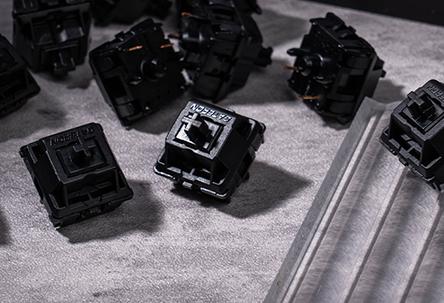
1. Where Does Friction Actually Occur Inside a Switch?
In a mechanical switch, a stem is free to move within a housing and guided by internal walls. Along the stem is a spring which provides restoring force. If sliding contact is not perfectly uniform, then small differences in surface finish may generate stick-slip motion.
To combat this, lubricant can be added to create a separating film between contacting surfaces. This reduces friction and prevents surface irregularities from catching during sliding movement.
How well the switch travel is influenced by several factors, and the focus for altering friction may depend on what noise is generated by the switch. Noise may occur due to contact of a spring, or due to the interaction of the stem with a metal leaf in a tactile switch. It may also be desirable to alter the friction of the switch to reduce spring noise.
A thin film on the stem guides may improve travel without noticeably altering tactility. Heavier lubrication on tactile contact geometry can, however, decrease the sharpness of the force transition.
Lubrication cannot remove excessive stem-to-housing clearance. If wobble originates from a dimensional mismatch, however, grease may temporarily damp movement without correcting the fit.
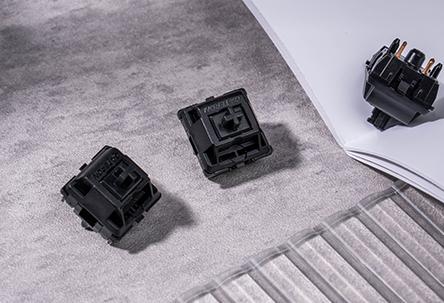
2. Which Lubricant Works Best for Different Switch Designs?
In the case of consistency and compatibility, the predominant concern for lubricant selection is the thickness of the applied coating.
Greases with a relatively high base-oil viscosity are more likely to remain on sliding interfaces, but can increase viscous resistance with excessive use. Lighter formulations provide less drag, but their retention and migration behavior require further evaluation.
GPL 205 is a popular linear switch lubricant; lighter lubricants such as Tribosys 3203 may be used to retain tactile definition. These switch lubricants are aftermarket, and are not officially endorsed by Gateron for any switch.
Compatibility of the stem and housing materials should also be taken into account. A lubricant compatible with one polymer set does not necessarily work with another.
There are also architectural limitations.
Generally, linear mechanical switches are tolerant to lubrication of the sliding surfaces and stem legs. Tactiles switches in particular benefit from a more precise application of lubricant to leave the interface that forms the bump unaltered. As for click switches, it is also important to leave the click mechanism unlubricated to prevent suppression of the click sound.
There are also factors to consider before modifying factory-prelubed switches. Adding more grease to a surface that is already coated with grease does not improve functionality and increases unwanted friction.
Due to the variety of designs, the methods of lubrication and disassembling switches of different manufacturers should not be assumed to be the same as the standard MX-style switches.
3. How to Lube Keyboard Switches Without Overapplying Grease
For MX-style mechanical switches, disassembly gives access to friction surfaces, and lubricant can be distributed more evenly.
GATERON provides a switch opener for MX-style switches with a four-clip housing. Other mechanical switch constructions may require different tools.
Prior to removing switches, ensure the keyboard is disconnected from power. Hot-swappable boards allow for easy extraction of switches with a suitable puller. For soldered boards, refer to the board manual to extract the switches.
The top housing, stem, spring and bottom housing make up the switch. Check for component guides, foreign particles, and distortion before lubricating.
Here is a general sequence to follow:
- Lower: Use a light even coat of lubricant on the stem guide. Keep grease away from contact areas and other recesses.
- Stem: Coat housing slide areas. On tactile switches, avoid the bump-forming legs if not adjusting the tactile bump.
- Spring: Use a very small amount of spring lubricant to coat the contact area. Uneven or too much lubricant can cause it to collect in unneeded areas.
Upon reassembly, check the travel and return, and make sure the stem and spring are in the right position.
The coat should be even and thin. Lots of grease collecting in corners is a sign of overapplication.
A good check to see if you are using the right amount is to compare some switches that have been treated to some that have not from the same batch. If the tactile bump is not defined, or return becomes slower, the treatment is not correct.
Lubricating assembled switches? Not the best practice. Little to no control over coverage results in over/under lubrication increasing the risk of contaminating internal contact regions.
4. How Can Engineers Verify Lubrication Quality?
Reduced noise from actuation is good, but potentially diminishing switch performance.
When evaluating switches, controlled comparisons of pre and post lubrication switch performance are more helpful.
Tactile changes to a switch's performance are evidenced through force-displacement measurements, which can reveal changes to peak shape and hysteresis, as well as changes to scratchiness.
Other characteristics of switch performance, including return behavior and electrical actuation, are also important.
For opto and magneto switches, appropriate testing and verification should be done to suit the mechanisms.
Changes to switch noise are often overstated and misleading, especially when measuring various keyboards in the same way, but with differing PCB, plate, and keycap configurations.
For production qualification testing, cycling and various environmental tests should be performed to reveal lubricant migration or changes to friction.
Define criteria for testing the switch and keyboard, such as sampling quantity, lubricant compatibility and acceptance limits .
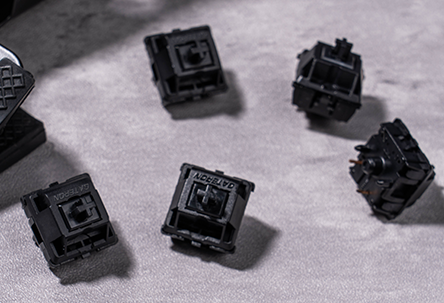
5. When Should Factory-Pre-Lubricated Switches be Considered?
Manual lubrication is still very useful during prototype development, as engineers often need to evaluate different friction levels, tactiles and/or switch behaviors.
During high-volume switch assembly, variations from brush loading, lubricant quantity, surface coverage and an assembly operator's skill result in finished products that differ in performance from design specifications.
Factory pre-lubricated switches eliminate the need for manual lubrication, but should be evaluated by incoming inspection and functionally tested to determine if they meet specifications.
GATERON's Oil King Linear Switch is a good example of this. It is factory pre-lubricated, has a POM stem and nylon PA66 top housing and a GATERON proprietary ink-based bottom housing.
How a switch behaves is a function of many things, including the lubricant, switch stem geometry, upper and lower housing, guide geometry and springs.
Keyboard manufacturers should take into account how consistently a switch meets design specifications, stem stability, return response, lubrication, and the behavior of the switch when used repeatedly. They should define acceptance limits to take into account any special needs their application may require.
GATERON offers a variety of pre-lubricated mechanical switches. You should evaluate these switches based on their behavior for use in your keyboard design.
FAQs
Q1: Do GATERON keyboard switches need lubrication?
Not always. Many GATERON switches are factory-pre-lubricated. Additional lubrication is generally unnecessary unless testing identifies friction, spring noise, or inconsistent movement.
Q2: How do you lube GATERON mechanical keyboard switches?
Open a compatible mechanical switch, remove the stem and spring, and apply a thin lubricant film to the stem guides and corresponding housing surfaces. Reassemble and check travel, return, and actuation.
Q3: What lubricant is suitable for GATERON linear switches?
Krytox GPL 205 Grade 0 is a common aftermarket choice for linear switches. Verify compatibility with the specific stem and housing materials before application.
Q4: Can you lubricate GATERON tactile switches?
Yes, on serviceable models. Apply lubricant lightly to the stem guides and housing rails. Avoid excessive grease on tactile legs because it can weaken the intended bump sensation.
Q5: How much lubricant should be applied to a keyboard switch?
Use only enough to create a thin, uniform film on the intended contact surfaces. Visible grease accumulation can increase drag, delay spring return, and alter switch feel.


