One crucial decision a normal mechanical switch makes for you even before installation is where the key actuates.
A Hall Effect keyboard can move that decision into software.
This is what Adjustable Magnetic Switches for Hall Effect Keyboards are all about. Unlike a traditional mechanical switch, which typically relies on physical electrical contacts to register a keypress, a Hall Effect keyboard senses the change in the magnetic field as the stem moves; this allows the keyboard to sense that position and use this information to decide when to trigger a key.
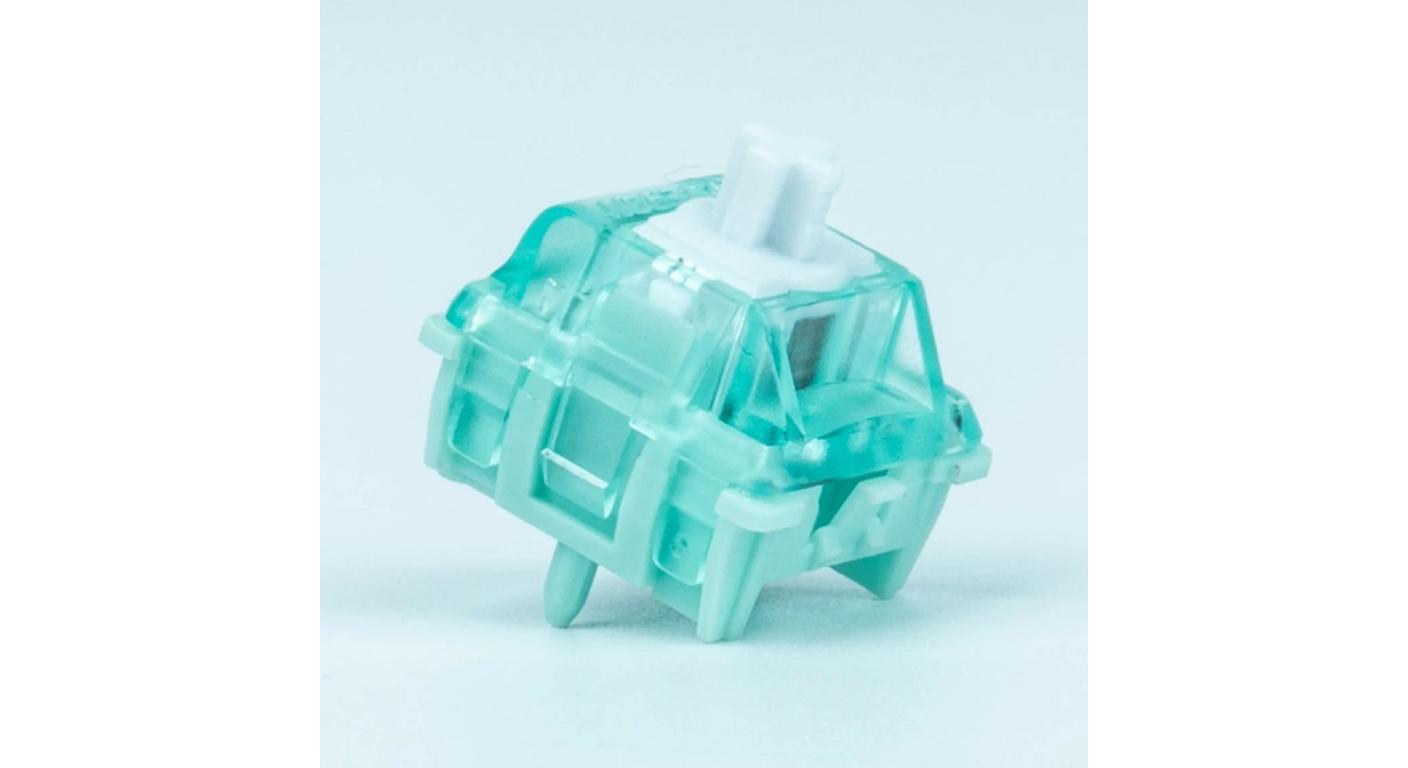
Gateron's Magnetic Switches collection currently features several versions of Hall Effect designs that are based on this variable-actuation principle, instead of traditional electrical contacts.
It's not just a “faster switch.” It's a keyboard which you can set up to respond the way each key should respond.
The Switch Doesn't Determine Actuation Point by Itself
This distinction matters.
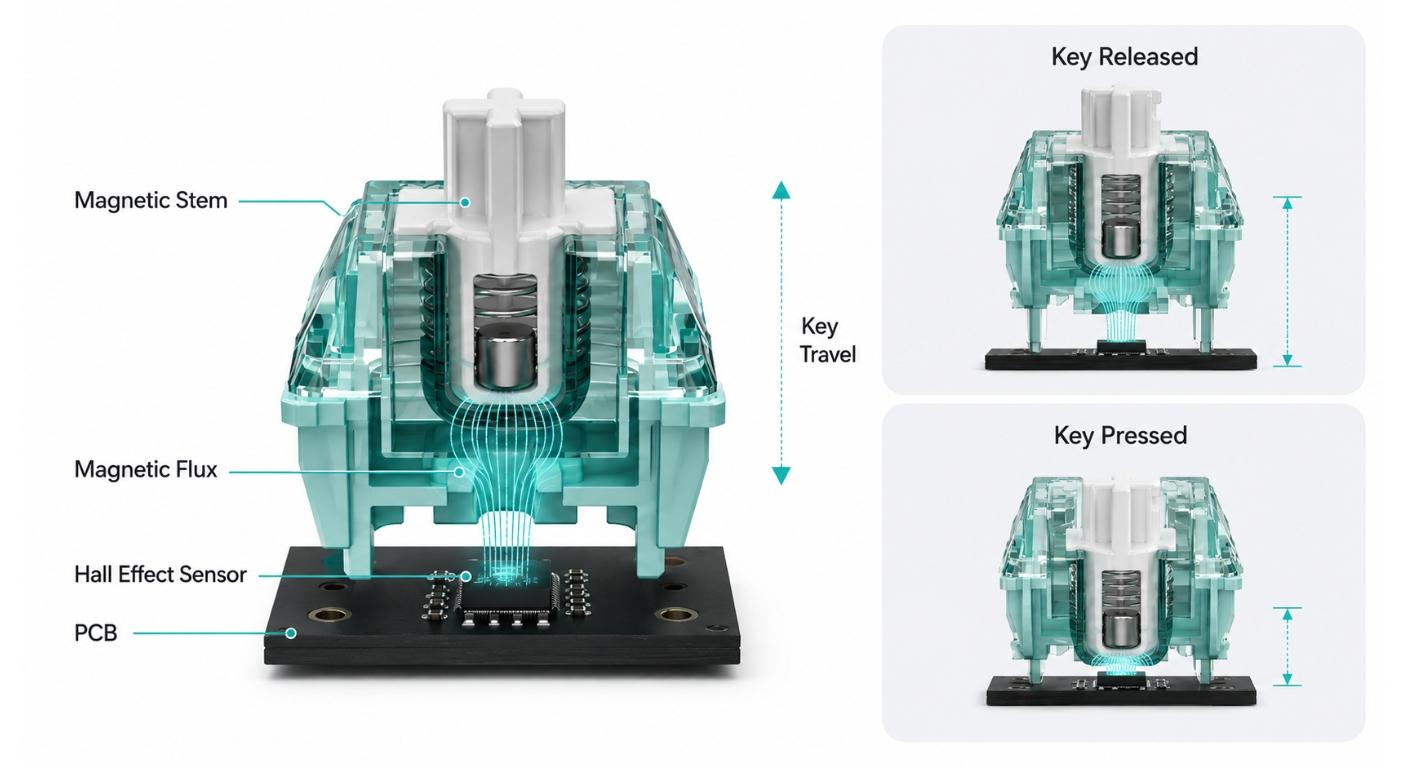
A Hall Effect switch has a magnet which slides up and down with the stem. A Hall sensor is located on the keyboard PCB that senses the change in magnetic field and translates the movement into position information. Gateron's explanation of how magnetic switches work refers to this as non-contact magnetic sensing, instead of a traditional metal-contact trigger.
Thus, when you see a magnetic switch specification stating “Pre-Travel: Freely Setting,” the physical stem is NOT mechanically rebuilding itself with each setting change by the user.
Movement and changing magnetic signal is provided by the switch.
The number of measured positions considered to be an input is determined by the Hall Effect PCB and firmware.
That's why the switch, sensor, PCB and software need to be thought of as one system.
Adjustable Actuation is Good as Different Keys do Different Things.
As early as possible, every key should trigger as if it has been pressed, and this is fast, but can make the keyboard more difficult to control.
Consider an FPS keyboard layout.
A shallow trigger may be beneficial for the W key as the action has to start promptly. A deeper actuation point can be useful on a key that is used for an ability that shouldn't be accidentally used. Another setting can be used for typing keys.
There, the use of adjustable actuation is feasible.
When using with a compatible Hall Effect keyboard, a switch like GATERON Magnetic Jade Pro HE can be freely configured with pre-travel. Its physical total travel is 3.5±0.1 mm with the keyboard determining the point within that travel that the input is registered.
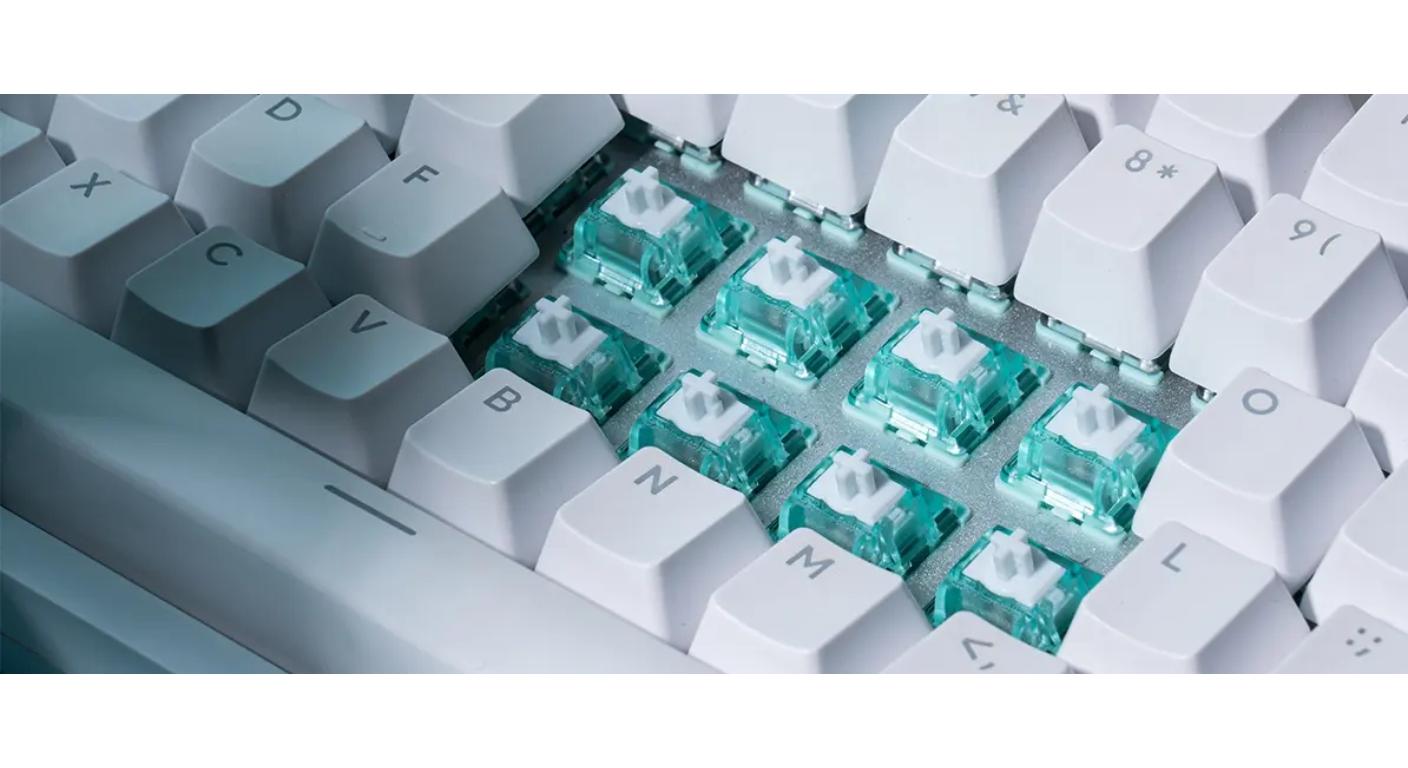
The better setting is one that balances responsiveness with control—fast enough for the intended action, but not so sensitive that accidental inputs become more likely.
|
Actuation Strategy
|
Typical Use
|
Main Benefit
|
Main Trade-Off
|
|
Shallow
|
WASD / fast game inputs
|
Quick response
|
Easier accidental activation
|
|
Medium
|
Mixed gaming and typing
|
Balanced control
|
Less aggressive response
|
|
Deeper
|
Typing / deliberate commands
|
Better input control
|
More finger travel before trigger
|
|
Per-Key Mixed
|
HE gaming profiles
|
Matches each key to its task
|
Requires setup and testing
|
Rapid Trigger Does Not Rely on a Fixed Reset Point
Adjustable actuation and Rapid Trigger are similar and related, but not the same feature.
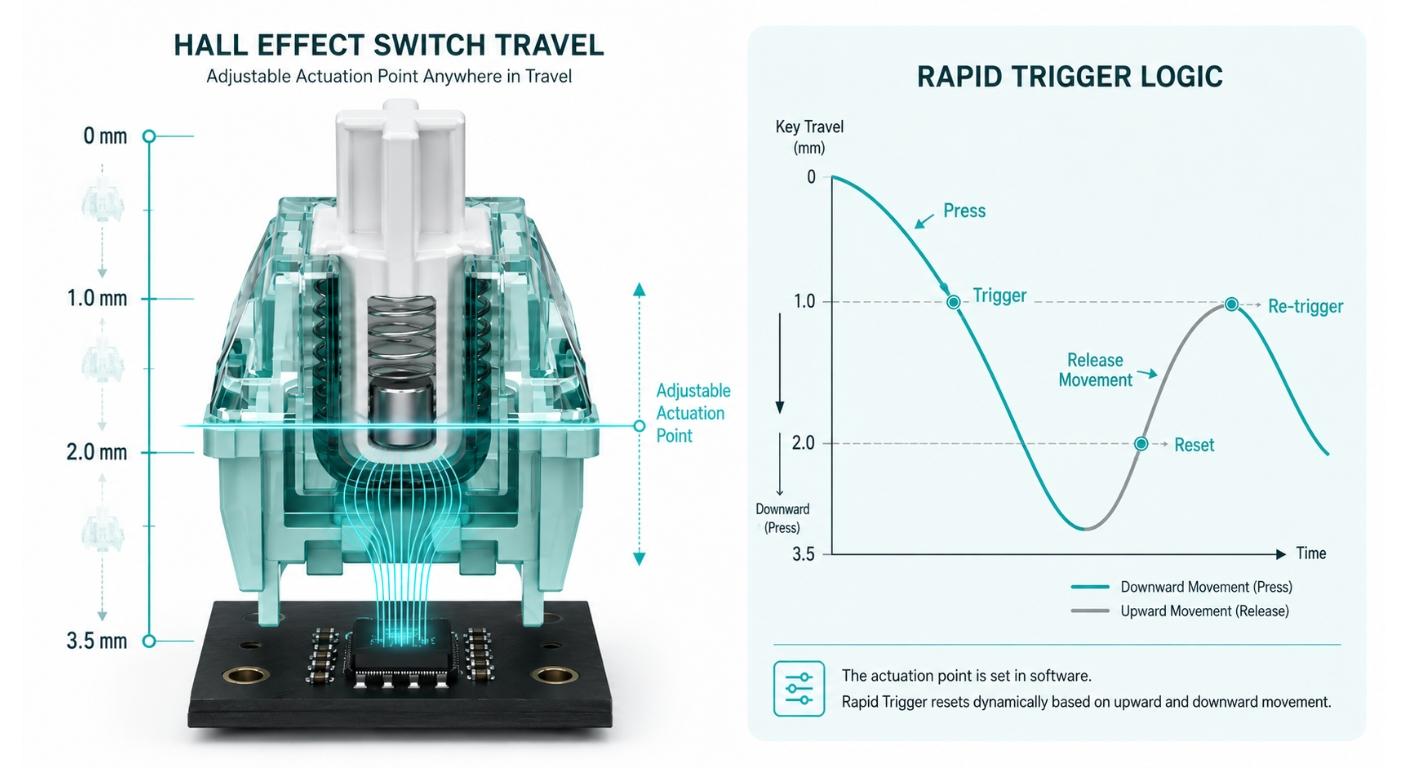
Typically, a switch has designated "actuation" and "reset" positions. The key needs to go through those points for another key press to be recorded.
If a proper Hall Effect system is used, the keyboard can be used to keep track of the movement of the stems continuously. Rapid Trigger can then reset the key based on motion up and down instead of a single mechanical reset.
This is important for when a key is held down and released over and over again, like strafing, counter-movement and fast rhythm inputs.
However, Rapid Trigger is not solely due to the switch.
The changing magnetic position signal is provided by a magnetic switch. It is the Hall sensor, the PCB controller and the firmware that decides on how that signal is interpreted.
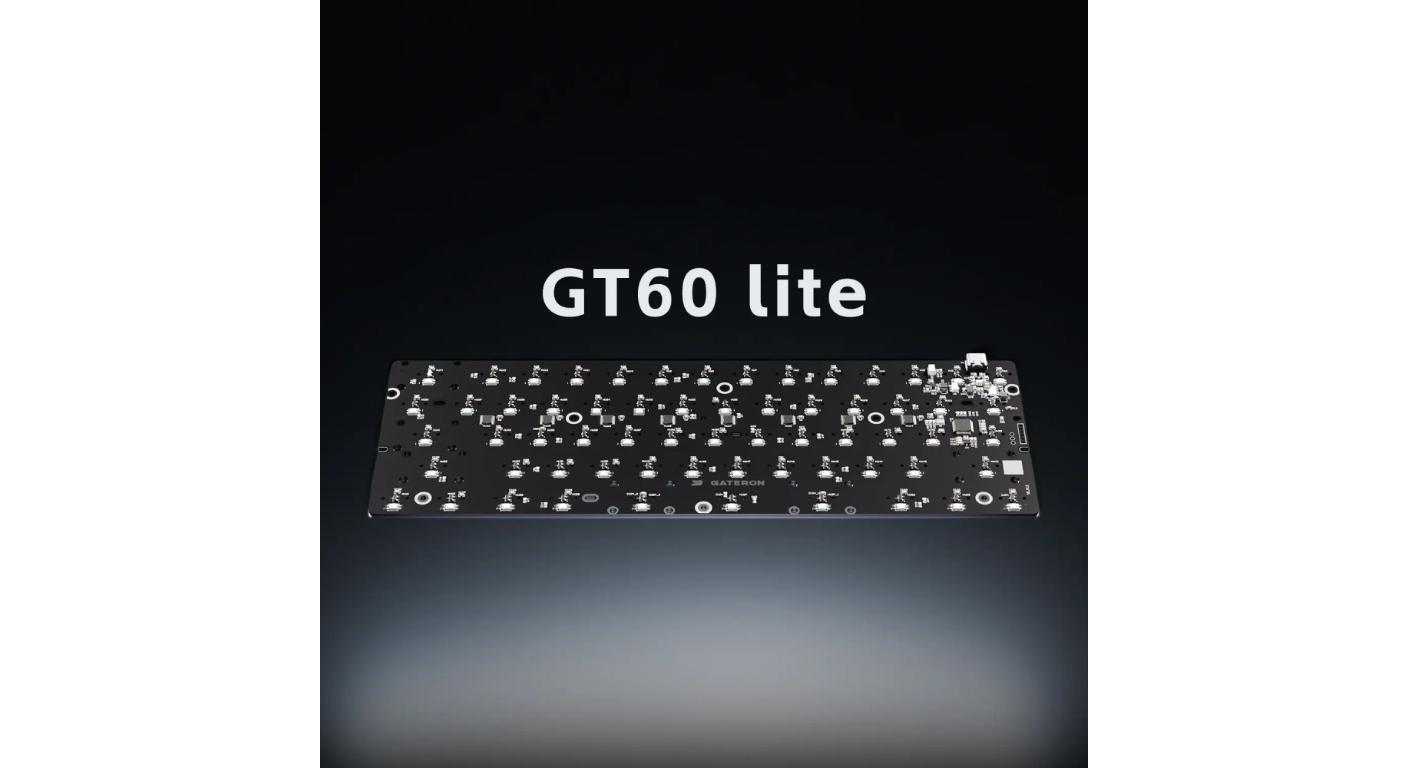
Gateron's GT60 Lite HE Magnetic Keyboard PCB offers adjustable magnetic actuation, software capable programmable pre-travel and Hall Effect sensing as examples. That is an example of the need for a good electronic platform even with a good magnetic switch.
Magnetic Flux is NOT Marketing Decoration, it is a Compatibility Parameter.
Mechanical keyboard enthusiasts are familiar with the terms spring force and travel.
Another parameter is needed on the list for Hall Effect buyers: magnetic flux.
When measured by Gateron with a 1.2 mm PCB, Gateron states that Magnetic Jade Pro has an initial magnetic flux of around 120±8 GS and bottom out magnetic flux of approximately 700±30 GS. Also mentions the direction of the magnet, which is N-pole to the PCB.
The numbers are significant because they represent the magnetic field being detected by the Hall sensor as the switch moves.
Two identical fitting switches do not necessarily give the same sort of magnetic activity at the sensor.
The system is dependent upon the thickness of the PCB, the location of the sensor, the strength of the magnet, the polarity of the magnet and the calibration of the firmware.
This is why one shouldn't just say “it fits into the socket” to make sure the magnetic switch is right for the HE keyboard.
When Actuation Is Adjustable, Force Still Matters
Magnetic sensing isn't magic, it's still physics.
The Magnetic Jade Pro's initial force is 36±5 gf. Gateron also lubricates the switch prior to delivery ensuring over 100 million keystrokes of life.
A light switch that has a very low software actuation setting can seem very responsive. This might be helpful for competitive movement keys, but it can also make accidental inputs easier.
Some users may find that a heavy or more controlled spring will help them manage a shallow trigger.
Consider both the two changes independently:
The feeling of your finger is regulated by the force of the spring.
Actuation setting determines when the keyboard will respond.
The second is software changeable. The trigger point will NOT make a physically light spring into a heavy spring.
Do Not Use One Actuation Setting for the Entire Keyboard
If all of the keys are given the same aggressive setting, one of the benefits of an HE platform is lost.
The initial step to a better setup is to have the right function.
The more responsive profile can be applied to the movement keys. Accidental activation can be a problem with frequently typed letters, so they might need enough travel. Space, Shift and modifier keys will not be automatically copied from WASD and should be tested.
Even in the realm of games, the proper setting might vary from game to game, and depending on how the player plays.
Very shallow actuation can be more of a hindrance than help when typing normally. The deeper setting can cause the keyboard to operate more intentionally without having to replace the switch.
This is one of the best reasons to use adjustable magnetic switches; a single physical keyboard can have a variety of different input behaviors.
|
Check
|
What to Verify
|
Why It Matters
|
|
PCB Type
|
Hall Effect sensing PCB
|
A mechanical PCB cannot detect the switch's magnetic position
|
|
Magnet Polarity
|
Magnet orientation matches sensor design
|
Wrong orientation can prevent correct sensing
|
|
Magnetic Flux
|
Switch signal suits the PCB/sensor
|
Affects detectable travel range
|
|
PCB/Sensor Geometry
|
Sensor distance and PCB thickness
|
Changes measured magnetic field
|
|
Firmware
|
Actuation and RT functions supported
|
Adjustment is controlled electronically
|
After changing magnetic switches, re-calibrate.
When the last HE switch is pushed into the plate, HE switch changing should not cease.
Once installed, perform the keyboard's calibration procedure, if available, and test a few keys for their entire range of motion.
This is especially crucial when switching magnetic switch families as sensor readings may not be exactly the same even if the switch type is compatible and of the same mounting format.
Test:
- resting detection;
- shallow actuation;
- full key travel;
- reset behavior;
- Repeat Rapid Trigger input;
- Edges and stabilizers with keys.
For physically comparing the feel of multiple switch designs in the event of comparing several magnetic families before filling a board, Gateron's Magnetic HE Switches Tester offers samples from a few magnetic families.
A tester will be able to inform you concerning spring feel, stability and sounds. The final actuation behavior remains to be tested on the actual Hall Effect PCBs.
Before trying to find the smallest number, select the HE System
It seems great when you see a very small actuation setting in a specification sheet.
That's not necessarily the optimal daily setup, though.
A good Hall Effect setup is one that makes the switch read consistently, the firmware has the ability to make the adjustments required and the magnetic polarity is correct and the actuation profile will make the inputs the user wishes to use easier instead of harder.
Therefore the purchase order should be according to the following for Adjustable Magnetic Switches For Hall Effect Keyboards:
PCB compatibility, magnetic specification, feeling of the physical switch, software adjustment and then game-specific calibration.
This is more helpful than picking a switch just because it might be able to switch sooner.
FAQ
Q1. Why is a magnetic switch adjustable?
Switch has a changing magnetic field as stem moves. A compatible Hall Effect PCB detects that movement and then the firmware determines the actuation position.
Q2. Does Rapid Trigger need to be housed inside the magnetic switch?
Not just by the switch, Rapid Trigger requires the magnetic signal of the switch, as well as a compatible Hall sensor, PCB controller and firmware.
Q3. Is it possible to use magnetic switches in a normal mechanical keyboard?
Hall Effect switches, in general, do not need a typical mechanical contact PCB, but do need a magnetic sensing PCB which is compatible.
Q4. Will a shorter actuation point make for a better game?
No. Very shallow actuation can make for better responsiveness but can also lead to unintended inputs. The optimal setting varies according to key and control of the user.
Q5. If an HE keyboard has been switched should the keyboard be re-calibrated?
Yes, if the keyboard has a calibration function. Calibration is to make the PCB read the installed switches over their travel range properly.



