Even the quietest keyboard can be quite loud.
Shorter key travel means less finger travel, and does not necessarily eliminate bottom-out noise, stem impact or noise from larger, stabilized keys. Hence, the evaluation of 3 Pin Low Profile Silent Switches must be different from normal low profile switches.
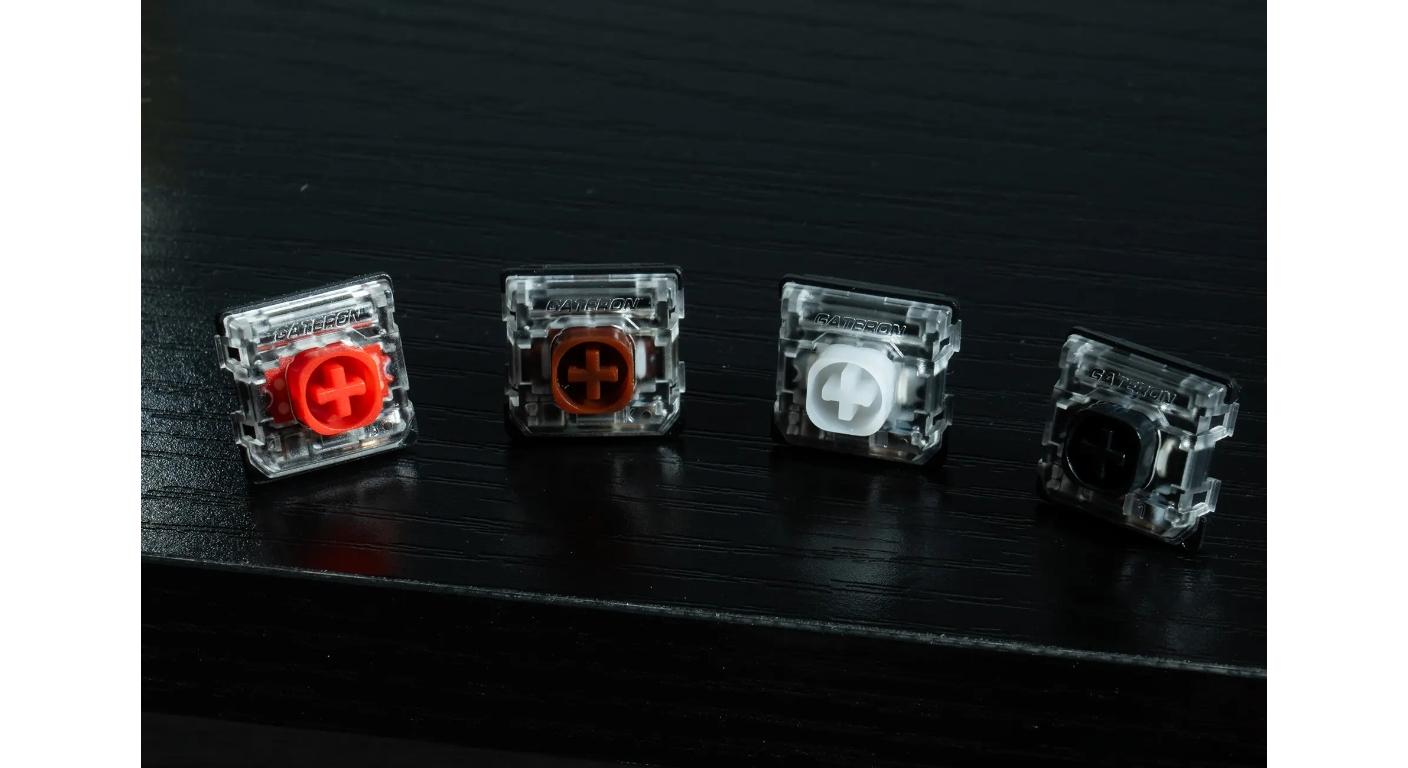
When looking at a switch, for those looking to make a small board or workstation that's mechanical but still silent, the question isn't just “is it a 'silent' switch?” It's the combination of the damping structure, travel distance, spring weight and keyboard platform.
Gateron’s KS-33 Low Profile Silent 2.0 Mechanical Switch Set is a useful example. It features a 3-pin low-profile design, factory lubrication, short travel, and internal noise-dampening structures, making it a practical option for users looking for a quieter low-profile mechanical keyboard.
It's quiet at the heart of the switch.
Case foam may alter a keyboard's audio, but a keyboard switch will address the noise, closer to the source.
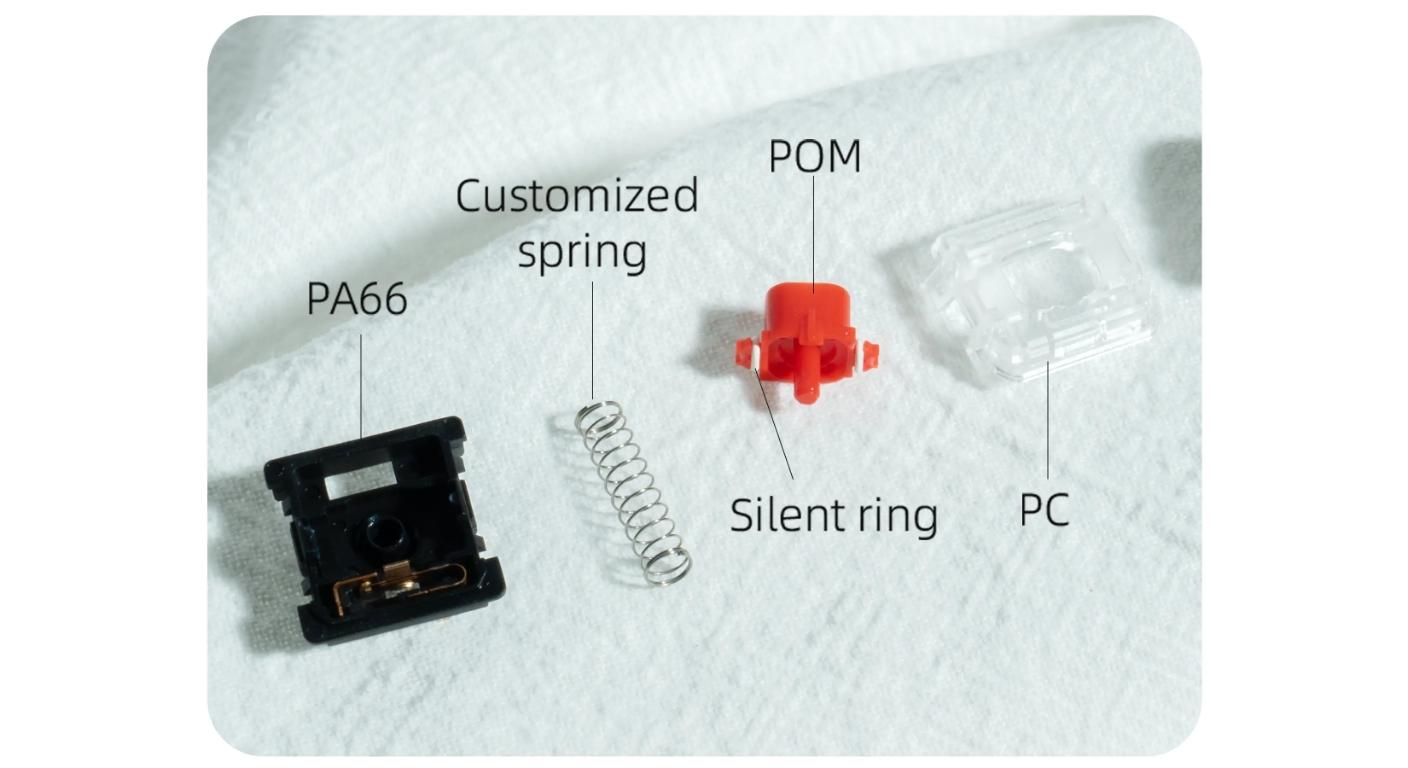
The KS-33 Silent 2.0 uses damping elements around the stem to reduce impact noise as the key is pressed and released. Gateron refers to this improved design as “silent rings,” with damping spring rings positioned on both sides of the stem.
This distinction is important in a quiet keyboard as there is less space to move from up and down. A normal low-profile switch can give you a definite bottom out and return noise, and be short.
A silent low-profile switch instead uses damping structures to reduce these impacts before they are transferred to the plate and case.
This does not mean that the keyboard will be absolutely quiet. Keycaps, stabilizers, the plate material, case construction and the typing force all play a part in the final sound.
How Low-Profile Switches Change Typing Feel
Low profile is more than a reduced housing.
The KS-33 Silent 2.0 has around 1.7 mm pre-travel and 3.0±0.2 mm total travel, meaning that the finger has to travel less distance than with many mechanical switches that have a full height profile.
This can make reentering information seem fast and efficient, particularly on smaller keyboards that users might already be familiar with, such as those for mobile phones.
That does not mean less travel is necessarily better.
A user that has no prior experience using a laptop keyboard might enjoy the limited motion. It might take some time for people who are used to more mechanical key travel to get used to when bottom-out is reached.
The more appropriate comparison is thus:
What is the amount of key movement that is normal for your day-to-day work?
This is significant in terms of Gateron's overall Low Profile Switches family as they now encompass a variety of switch generations, feel types and mounting structures.The right choice depends not only on how short the switch is, but also on how its travel and feel fit your typing habits.
|
Silent Option
|
Feel
|
Operating Force
|
Best Fit
|
|
White
|
Linear
|
38±15 gf
|
Very light typing
|
|
Red
|
Linear
|
45±15 gf
|
Balanced everyday use
|
|
Black
|
Linear
|
55±15 gf
|
Firmer linear control
|
|
Brown
|
Tactile
|
55±15 gf
|
Quiet typing with feedback
|
SWT is more important in a short travel switch (spring).
If the overall distance traveled is reduced, the effect of a slight change in the spring force may be more noticeable.
While this lighter linear option can be lighter use during repeated shortcuts or lighter typing, for people that have heavier hands may accidentally trigger keys. A heavier spring provides greater resistance, but not necessarily a bump to feel.
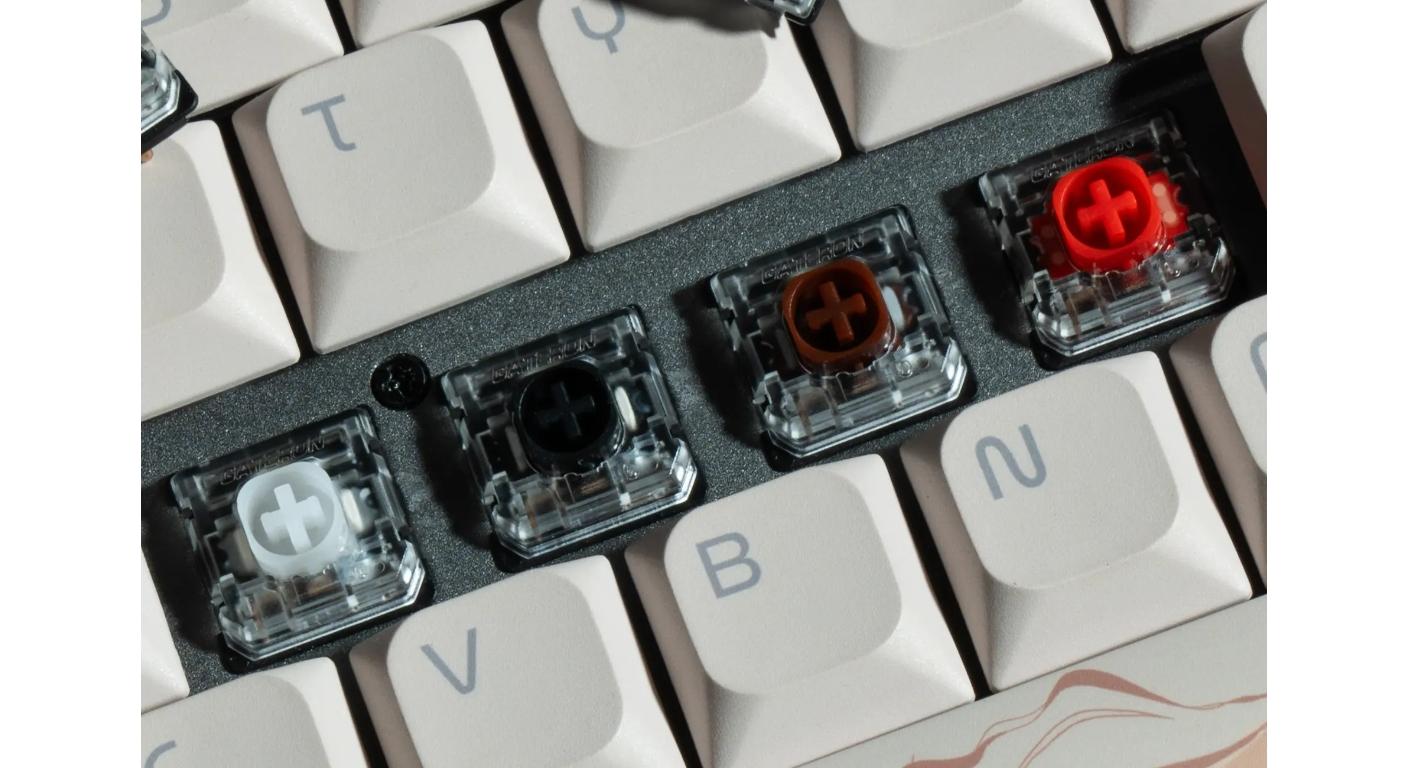
The Silent 2.0 family, like the KS-33, makes this very clear. Instead of using “silent” as a single “feel,” its silent variants are light linear, medium linear, heavier linear and tactile.
For practical selection:
Light is an excellent linear suit for the typist who can type with a light touch.
Medium linear is a more midrange balance for mixed work and play.
The heavier linear can be used by people who often blow out lighter can switches.
Tactical Silent is a feedback point that is noticeable, but not clicky.
That's why you should consider using a typing habit when selecting an operating force instead of a color.
3 Pins describe Mounting, NOT Typing Feel
“3 Pin” is sometimes referred to as a performance specification.
It is not.
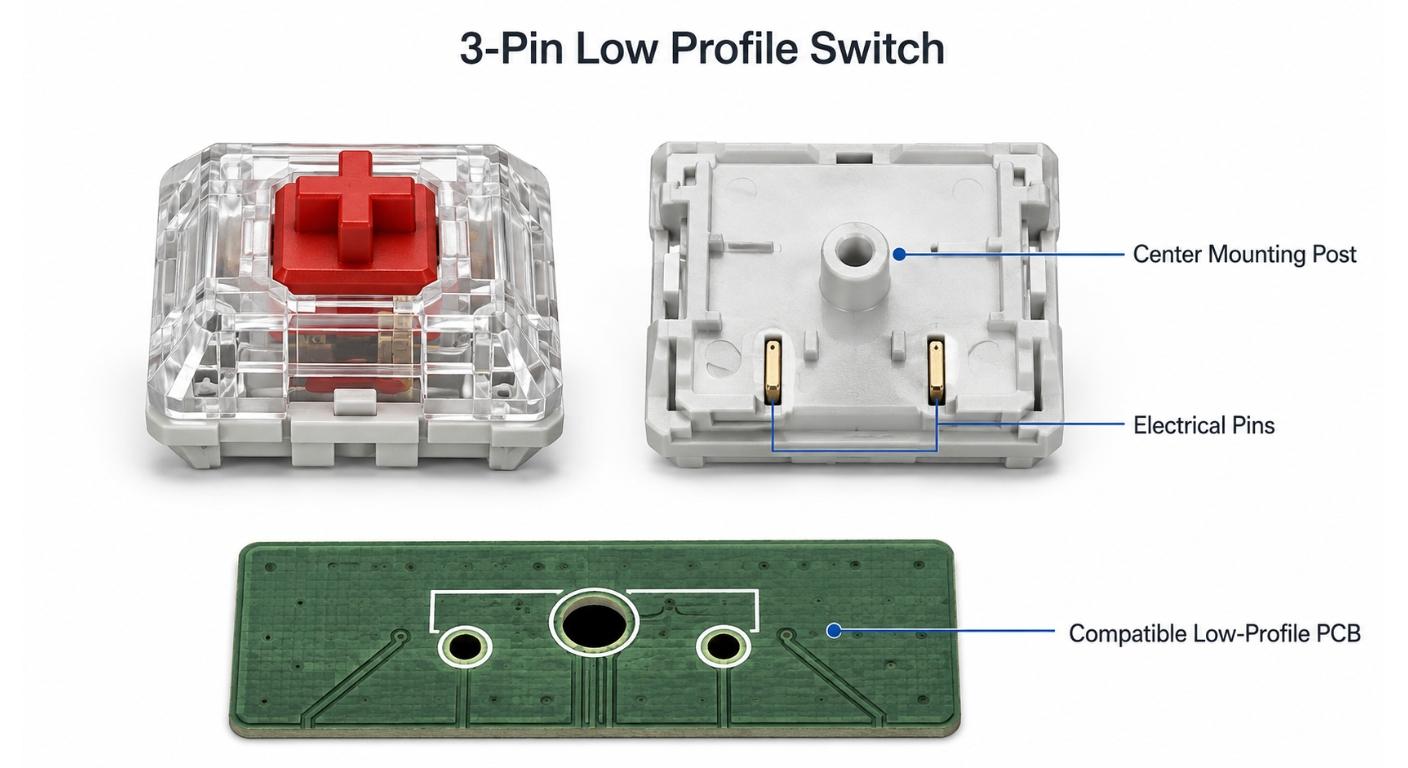
Pin configuration mainly influences the mechanical interface to a compatible PCB and Plate system of the switch. The feel is still primarily attributable to the stem, spring, damping, housing and contact design.
Compatibility is worth its own separate mention with the platform of KS-33 as Gateron explicitly mentions that these switches should be used to replace only keyboards that are made to accept Gateron's low-profile switch option.
If the keyboard is hot-swap, be sure to check the keyboard PCB first before buying switches. Gateron also supplies a Low Profile Switch Hot-swap PCB 2.0 Socket to further illustrate their message that low-profile compatibility isn't just about the number of pins.
|
Check
|
Confirm Before Buying
|
Why It Matters
|
|
Switch Platform
|
Keyboard supports Gateron KS-33 low profile
|
Low-profile footprints are not universally interchangeable
|
|
Pin Layout
|
PCB/plate accepts 3-pin switch
|
Prevents electrical or mounting incompatibility
|
|
Hot-Swap Socket
|
Socket matches the low-profile switch
|
Standard hot-swap support cannot be assumed
|
|
LED Layout
|
PCB uses compatible SMD lighting
|
Transparent housing supports SMD illumination
|
|
Stabilizer Compatibility
|
Stabilizer system matches low-profile build
|
Stabilizer clearance can affect the fit and sound of long keys such as Spacebar and Shift
|
A Quiet Switch Won't Get Rid of All Keyboard Noises
Many “silent keyboard” builds fail at this point.
Users switch out the switches and expect all of the keys to sound the same. Then the Spacebar, Enter, Backspace and Shift keys are still loud in comparison to the letter keys.
That's exactly because the keys are bigger, larger key cap surface area and stabilizers are added into the acoustic system.
If quiet performance is desired, consider the switch in conjunction with the long-key hardware. The separate component in low-profile large-key construction comes in a variety of forms, like Gateron's Low Profile Plate Mounted Stabilizer.
Case resonance is also an issue. Thin aluminum enclosures can respond differently than plastic enclosures and desk surfaces can absorb or amplify vibrations.
“Silent switch” should therefore not imply that the entire keyboard will be silent. Rather, it means that the switch is designed to reduce switch-related impact noise.
The 3 Pin Low Profile Silent Switches are the most convenient choice in these situations:
An RGB gaming desk isn't the only good use case.
It could be the individual who is working next to someone else.
Two in one: lower keyboard and controlled mechanical noises for shared offices, late night home offices and travel setups as well as university libraries and co-working spaces.
Another advantage of a low-profile keyboard is that it minimizes the distance fingers must travel from resting position to the keyboard. That can make it a bit less dramatic of a switch than going to a tall traditional mechanical keyboard for those who want to switch from a laptop to an external keyboard often.
The top housing of the KS-33 Silent 2.0 is made of transparent PC materials and can also be used to support SMD light, so as to not sacrifice the lighting function of the keyboard by selecting a low noise switch.
Replace all the switches if they do not work after testing them.
Numbers can give you some of the choices but can't tell you if 38gf is comfortable after two hours or if 55gf is reassuring or tiring.
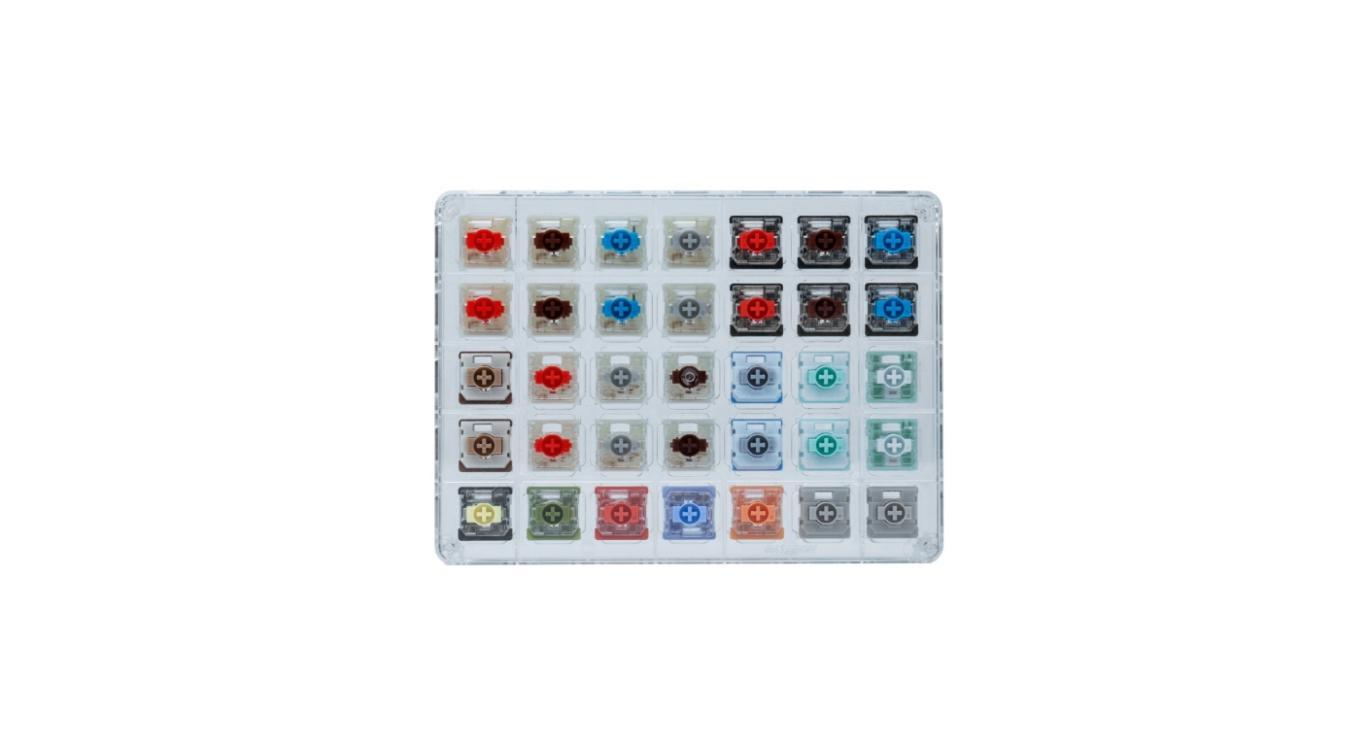
The small sample test is very convenient for the first time when switching to low profile switches.
Gateron's Low Profile Switches Series Tester will help to compare the force, travel, sound and rebound before making an investment in a full keyboard.
Use normal typing instead of using one switch (or key) repeatedly with a single finger.
Write a paragraph. Use shortcuts. Tap on Space and Backspace. Play the same type of game that you would normally play.
Right switch should not be a constant reminder that the keyboard has been modified, but should just be a part of the workflow.
Final Compatibility Check
When buying 3 Pin Low Profile Silent Switches, first check if all of the following applies:
- the switch platform for the keyboard is the same that can be used with low-profile switches;
- the PCB and plate are compatible with the switch’s 3-pin mounting structure
- the selected operating force matches your preferred typing feel
- The rest of the keyboard (stabilizers and construction of the case) are in keeping with your noise target.
With those things in mind, deciding on light linear, medium linear, heavy linear or tactile silent is much easier.
It takes more than one specification to make a good silent low-profile keyboard.
A quiet typing experience comes from the interaction of switch damping, short travel, mounting compatibility, and the rest of the keyboard as a whole.
FAQ
Q1. 3 Pin Low Profile Silent Switches – do they really work quietly?
They greatly minimize impact sound from the switch, but mechanical keyboards can't be quiet. The actual keycaps, stabilizers, case material and typing force all have an impact on the end result.
Q2. I'd like to use Gateron KS-33 switches in any low profile keyboard, is that possible?
The “low-profile” Gateron switches (code name: KS-33) are designed for compatible Gateron low-profile keyboard designs, Gateron states. Always check compatibility of PCB/plate.
Q3. Would a lighter silent switch be a better option for typing in the office?
Not necessarily. Light switches are easier to work with with fingers but if you are a heavier typist, you might prefer heavier resistance so that you don't accidentally press.
Q4. How many miles can KS-33 Silent 2.0 travel?
The pre-travel of the current Silent 2.0 family is around 1.7 mm and the total travel is 3.0±0.2 mm, which is a rather low travel key.
Q5. If I just want to purchase a full set of low-profile switches, should I try out some first?
Yes, if you're someone who typically uses full-height mechanical switches. A tester can be used to make comparisons in terms of force, travel, rebound and noise prior to replacing an entire keyboard.



