When it comes to customizing a keyboard, it typically begins with a simple task.
Perhaps one switch sounds out-of-sync. Perhaps it's spring change time. Perhaps a change of a complete switch is required on a keyboard.
Then the following three tools are shown on the desk.
First the keycaps are removed. Then the switches have to be removed. Where the switches themselves are being modified, their housings will need to be opened, too.
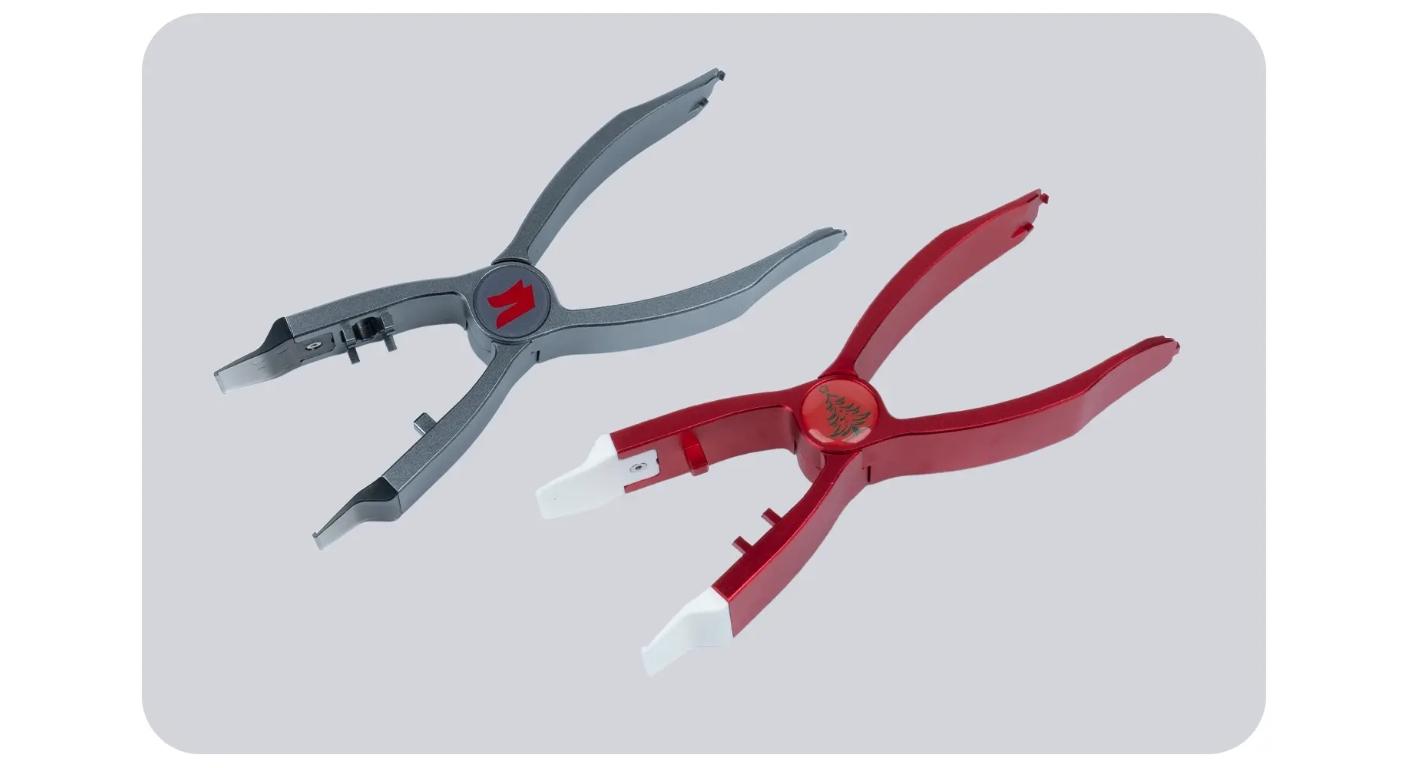
The Gateron 3-in-1 Customization Tool is designed to perform all three operations (keycap pulling, switch extraction, switch opening) in a single, handheld tool. Gateron also incorporates an X-shaped structure that's designed to give leverage by squeezing.
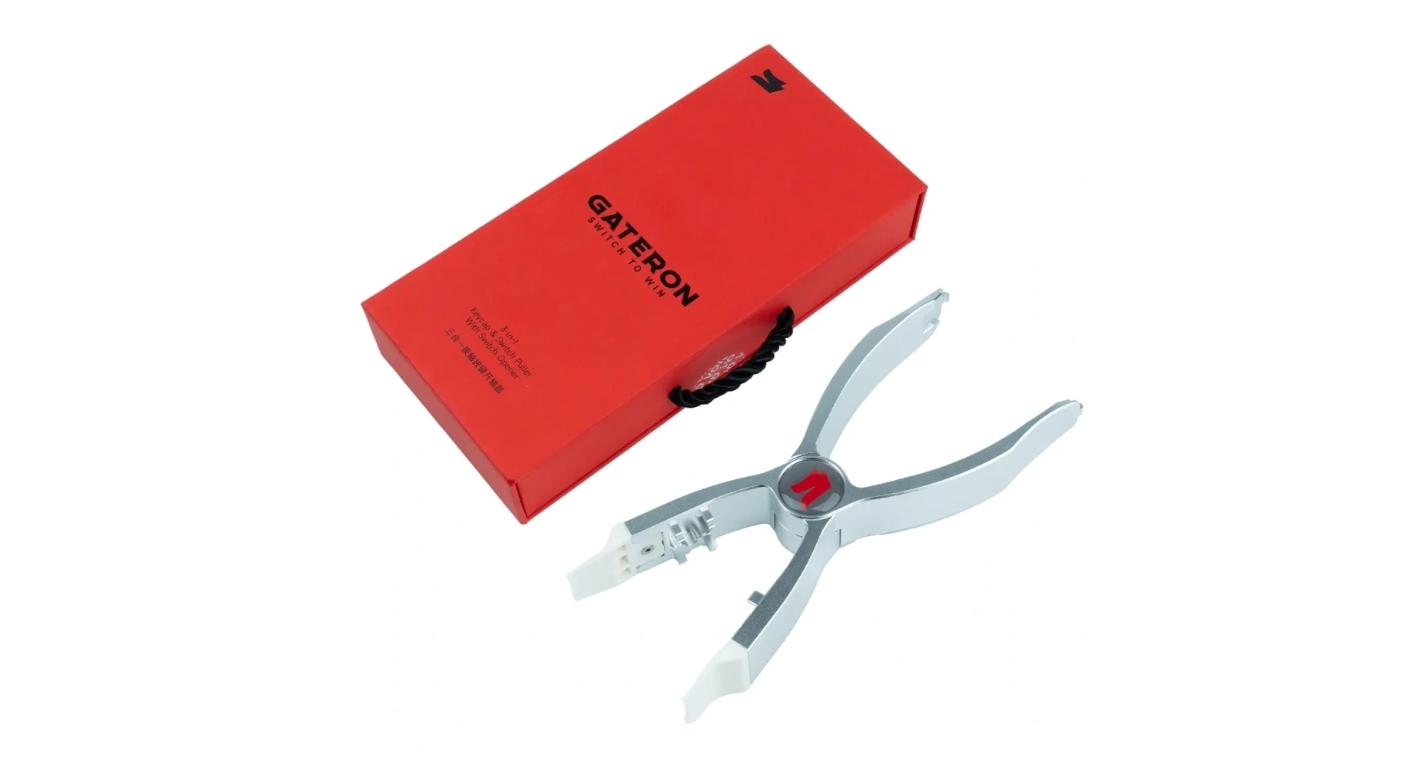
It's thus not so much another keyboard accessory, as a streamlined procedure for doing something over and over again.
This is the Useful Unit: the Whole Modding Workflow.
To just look at one function at a time is to miss the bigger picture.
It only takes a few seconds to remove one keycap. Removing one switch only takes seconds. It only takes seconds to open one housing.
Now imagine that multiplied by 70, 80 or 100 switches and you've got to deal with switching between and handling multiple tools.
A typical modification session could consist of:
Remove keycap → extract switch → open housing → swap out spring/lube parts → re-assemble → re-install.
Combined tool minimises equipment pick-up, put-down and keeping equipment organised in that process.
That is important for users that repeatedly modify the keyboard. One person who's only taking one switch every six months might be quite happy with stand-alone simple tools.
|
Workflow Stage
|
Tool Function
|
Main Purpose
|
Main Handling Risk
|
|
Remove Keycaps
|
Keycap Puller
|
Access switches
|
Tilting or scratching keycaps
|
|
Remove Switches
|
Switch Puller
|
Release switch from plate/PCB
|
Excessive rocking or socket stress
|
|
Open Switches
|
Switch Opener
|
Access stem and spring
|
Damaging housing clips
|
Keycap removal process should be carefully controlled rather than forcefully done.
The first stage is not too difficult, but, keycaps don't always come off evenly.
The force from one side can cause a keycap to lean to one side, especially with tighter stems. With larger stabilized keys, there is an additional issue as the keycap is attached to multiple points.
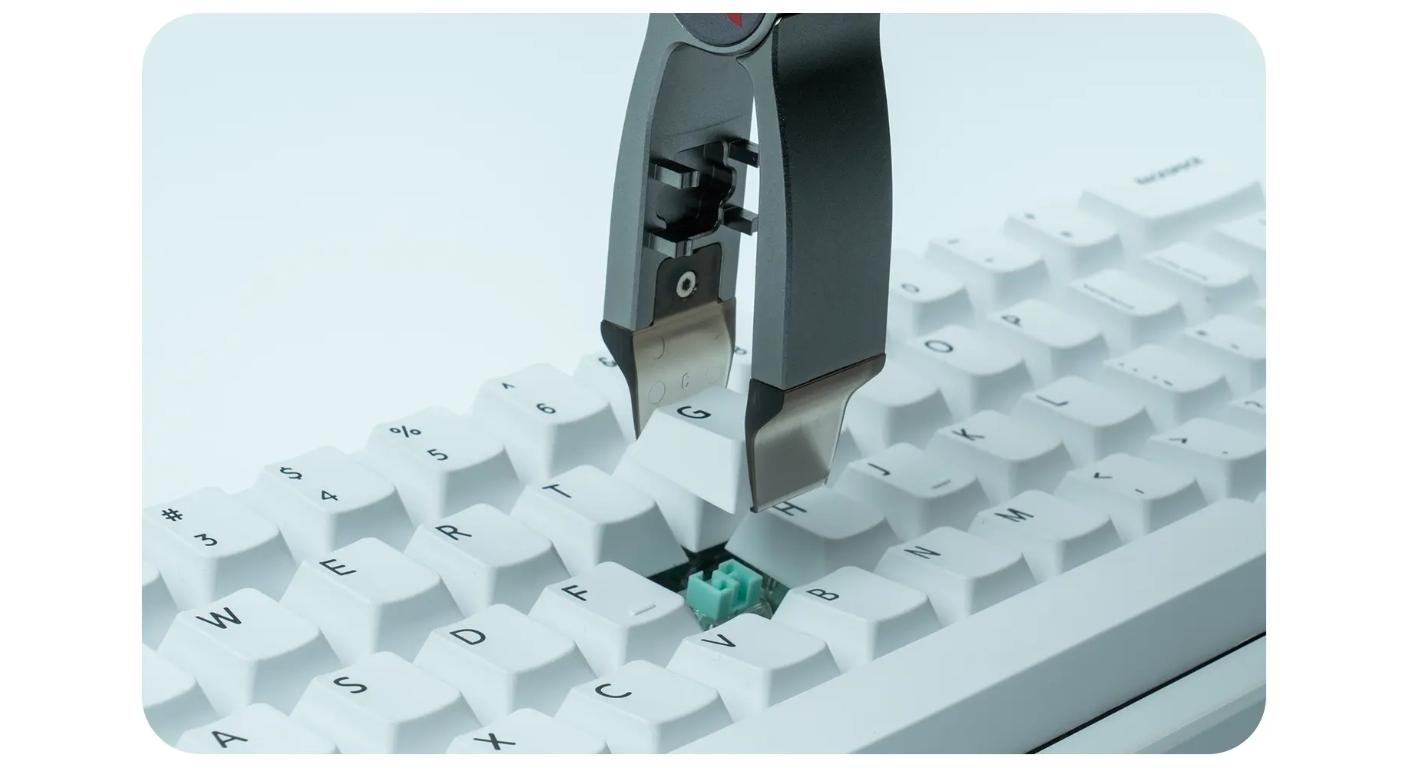
The 3-in-1 tool, according to Gateron, is specially designed to pull keycaps without scratching or cracking, thanks to the specially designed keycap-puller tips.
It is still important to use the practical technique.
Evenly hold the keycap and pull it up and down, not sideways. However, before trying to remove stabilized keycaps keys like Space, Enter or Shift, first, learn about the stabilizer configuration of the keyboard.
For those who only need this stage, the official design of the dedicated Gateron Keycap Puller V2 is also 0.6 mm ultra-thin pull buckle, which can be compared.
With Switch Extraction, Grip Matters.
After the keycap is removed, the switch still needs to exit the plate or "hot-swap" assembly it's in.
That's where the weak puller becomes frustrating.
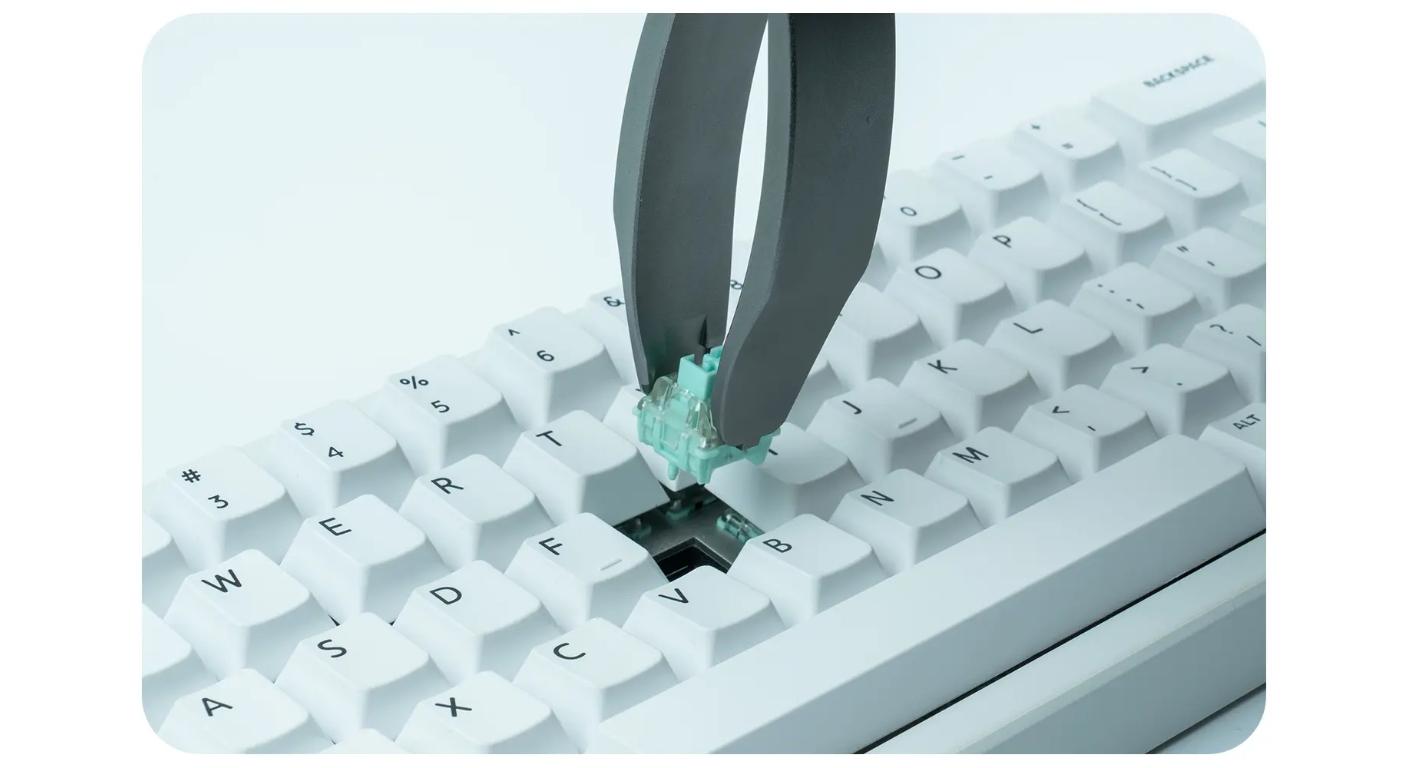
The tool should be just big enough to fit inside the switch housing to push the clips out, but not so big that it will rock the switch excessively, while pulling upward.
According to Gateron, the integrated tool's switch-removal part has a steel clasp for perfect gripping.
But that doesn't necessarily mean that harder is better.
If a switch won't budge, be careful to verify that the clips are free and then pull again on the switch. If the sliding motion is too much, it will put additional strain on the switch, plate or hot-swap socket.
Users who simply want to remove the switches can still use a special device to do the job, like the Gateron Switch Puller V2.
Current Switch Is Where the SwitchJob Happens
Changeout of switch – maintenance.
Once you open the switch, it is customization.
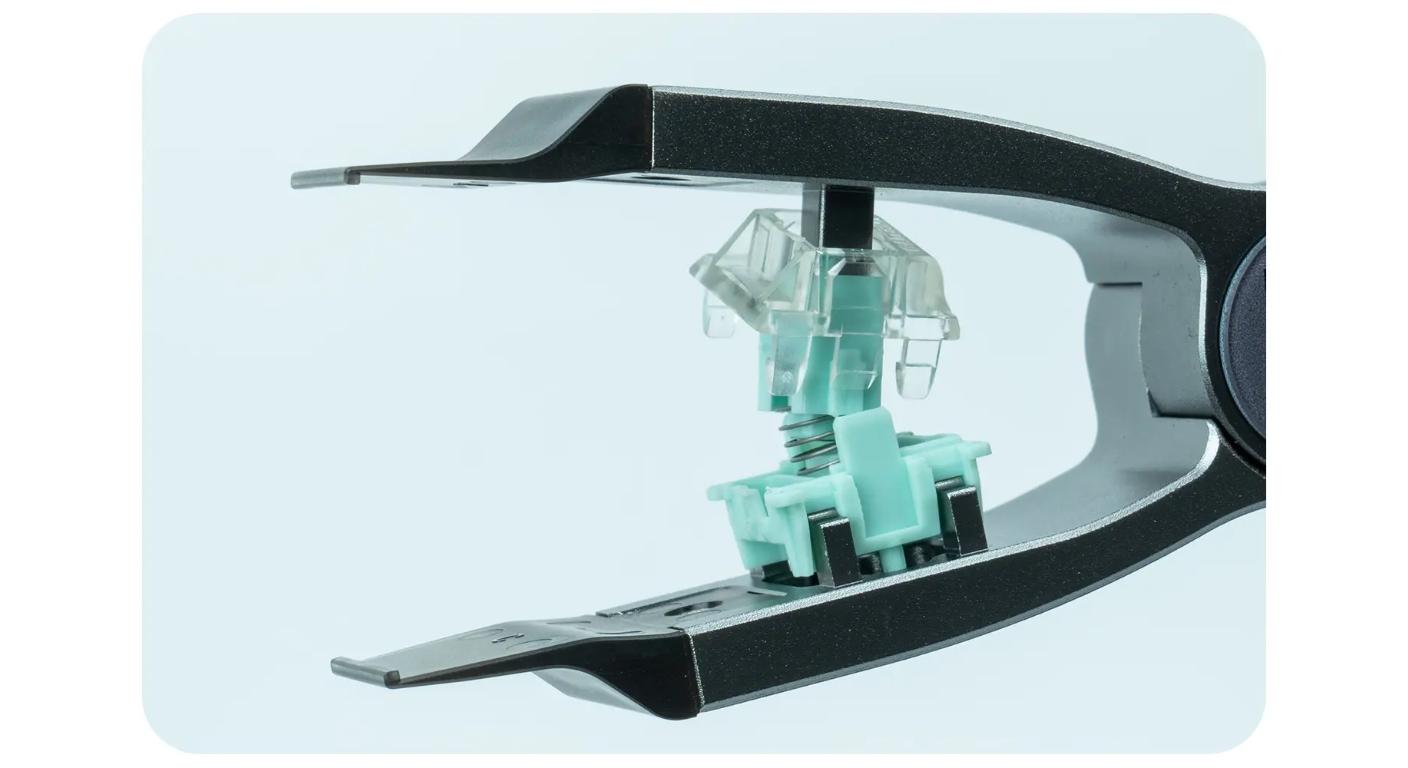
After separation of the housing, the builder can reach the stem, spring and other internal parts for cleaning, lubricating, changing the spring and other modifications that are compatible with the housing.
The 3-in-1 design of Gateron features a hidden section which opens the switch when pressed.
It's here that compatibility becomes a consideration.
The geometry of the retaining tabs varies between different types of housing for keyboard switches. For example, Gateron's standalone MX Switch Opener is clearly stated to be for MX-style switches and it has 4 snap-lock points.
Don't assume that a switch that fits into a keyboard can be opened by the same means. Before putting pressure on the housing, check it.
A Good Tool Protects the Parts around the Switch Too!
It's easy to just consider whether or not the switch endures.
It's the keyboard beneath it that is more significant.
If you repeatedly rocking or pulling a switch at an angle, the force will be transferred to the plate and the hot-swap socket area. The speed of the switch coming out is thus just as important as a controlled vertical extraction.
Likewise, when opening a housing, uneven pressure is put on retaining clips that must be securely closed after housing modification.
A useful keyboard tool should therefore make the process predictable.
- Grab the part that you wish to work with;
- Push in the desired direction;
- Release cleanly;
- Do not get on neighbouring parts!
That's better when you are modifying the whole board than spending a few seconds on one switch.
Solving different problems with integrated tools and separate tools.
There is no good reason to suggest that one design can substitute for each particular tool.
Gateron is a brand that offers an integrated Twins 2-in-1 Keycap & Switch Puller, standalone pullers and openers. The keycaps of the Twins design are particularly easy to remove and the switch is spring loaded and pressed to release.
It depends on frequency when choosing which one to use.
For a person who's always opening switches, a separate opener may be better, and one that is in a constant position on the workbench.
The 3-in-1 solution may be more convenient for someone who would like to have one maintenance tool for all all three tasks.
It's not about which design has the most functions.
It's the one which takes the least time from your real work.
|
Setup
|
Main Advantage
|
Better For
|
|
3-in-1 Tool
|
Fewer tool changes
|
General keyboard modding
|
|
Keycap Puller Only
|
Simple, focused handling
|
Frequent keycap swaps
|
|
Switch Puller Only
|
Dedicated extraction
|
Large hot-swap switch changes
|
|
Switch Opener Only
|
Repetitive housing opening
|
Batch lubing / spring swaps
|
|
Separate Full Tool Set
|
Specialist tools always available
|
Permanent modding workbench
|
Re-use Aluminum Construction?
With the same operation is repeated hundreds of times, then the tool materials come into play.
The 3-in-1 tool is made of aluminum alloy by Gateron, using CNC machining and an anodized finish.
If you are only going to use it once in awhile to do some maintenance, that may not make much of a difference.
When used repeatedly for customization, rigidity and uniformity of gripping surface take on greater value, as the user is using the same tool geometry for each switch.
So, the metal construction is best thought of as a durability provision and not just a better looking style.
Power On the Desk Before Turning On the Power Switches
While a 3-in-1 tool is a good choice to tidy up the desk hardware, it can't sort out the little parts for you.
Prior to the opening of switches, have a clean work surface and have designated areas for:
- Top housings;
- Stems;
- Springs;
- Bottom housings;
- Completed switches.
- In particular,the springs have a remarkable disappearing power.
If lubrication is required, store finished and unfinished switches separately as well.. Memory is not an inventory system when sixty identical housings are on the desk.
When is it good to have a 3-in-1 tool?
The best is a user who cycles through all three stages.
It makes sense for:
- hot-swap keyboard enthusiasts;
- users that are testing multiple sets of switches;
- builders lubricating or spring changing switches;
- keyboard enthusiasts with more than one mechanical keyboard; and
- where desk or storage space is an issue, compact DIY tool kits can be a great solution.
If you are only replacing keycaps, then a keycap puller is easier.
However, if you frequently tear down whole switch batches, then specialist tools might still be appropriate for a permanently set-up bench.
The Gateron 3-in-1 Customization Tool can be most useful – not so often that it’s a hassle to keep around, and not so rarely that it’s an annoyance.
FAQ
Q1. What three functions does the Gateron 3-in-1 Customization Tool provide?
It is an all-in-one tool for removing keycaps, extracting and opening switches. These are the primary stages of disassembling a mechanical keyboard that are utilized in many mechanical keyboard modification tasks.
Q2. May be used for switch lubrication?
Switches are not self lubricating with the tool. It assists in removing and opening compatible switches to allow access to stem, springs and housing to be lubricated.
Q3. Do 3 in 1 keyboard tools work better than separate tools?
Not always. It is especially helpful if you carry out all three of these operations regularly and specialist tools are still more likely to be the best solution for repeat specialist tasks.
Q4. When a switch is pulled straight out of a hot-swap keyboard, should the switch be considered hot?
In general, it is best to perform a controlled vertical pull after the housing clips have been released. Don't twist or apply too much lateral pressure to the PCB and socket.
Q5. Does it mean that all mechanical switches can be opened by the same opener?
Don't assume that they are all compatible. The retaining structure is different for each switch housing and should be verified prior to the application of force to the switch.



