A custom keyboard build is a sequence of precision tasks. Opening the case, removing switches, handling stabilizers, aligning the PCB and plate, managing fasteners, and reassembling the board all introduce different opportunities for error.
At GATERON, we work with keyboard switches, component tolerances, molds, and production processes every day. From that perspective, the Essential Tools for Custom Keyboard Builds are not simply accessories. The right tools help control mechanical variables, reduce unnecessary rework, and make repeated tuning more predictable.
What Are the Essential Tools for Custom Keyboard Builds?
For most hot-swap mechanical keyboard projects, a practical core toolkit should cover four jobs: fastening, component removal, precision handling, and parts organization.
|
Tool
|
Primary Function
|
Why It Matters
|
|
Precision screwdriver + bits
|
Case, plate and PCB fasteners
|
Correct bit fit reduces damaged screw heads
|
|
Switch/keycap puller
|
Component removal
|
Helps avoid uncontrolled pulling and bent switch pins
|
|
Precision tweezers
|
Stabilizers and small hardware
|
Improves control in confined areas
|
|
Pry tool
|
Case separation
|
Reduces reliance on sharp metal tools
|
|
Magnetic screw tray
|
Fastener organization
|
Prevents misplaced screws during disassembly
|
These are the Essential Tools for Custom Keyboard Builds because they follow the actual mechanical workflow rather than focusing on one stage of assembly.
Why Tool Selection Affects Build Quality
A keyboard can contain tight-tolerance plastic parts, PCB-mounted sockets, small screws, stabilizer wires, coated surfaces, and switch pins only millimeters apart. Using an unsuitable tool can turn a simple adjustment into additional repair work.
Fasteners and Mounting Pressure
A driver bit should fully engage the screw head. A poor fit increases the chance of cam-out or stripping. During reassembly, screws should also be tightened evenly rather than forcing one side down first.
Uneven mounting pressure can affect:
- Acoustic consistency across the board;
GATERON's build guidance similarly recommends a small screwdriver set and warns that uneven screw tension can contribute to warping, ping, or inconsistent acoustics.
Switches and Hot-Swap Sockets
Hot-swap does not mean force-proof. A switch inserted at an angle can bend a metal pin, while excessive pressure may stress the socket or PCB.
A better process is to:
- Inspect switch pins before installation;
- Support the PCB when practical;
- Align the switch vertically;
- Test a small group of switches before populating the entire board.
This "test first, finalize later" approach reduces the need to reopen a completed keyboard.
The Best Toolkit Follows the Build Workflow
The Essential Tools for Custom Keyboard Builds should support the entire lifecycle:
Disassemble → Remove Components → Inspect → Tune → Reassemble → Maintain
This distinction matters. A switch puller may solve one task, but a frequently modified keyboard also requires fastener management, case access, precision handling, and organized storage.
That is where an integrated toolkit can be more efficient than collecting unrelated tools individually.
Separate Tools vs. an All-in-One Kit
|
Consideration
|
Separate Tools
|
All-in-One Kit
|
|
Customization
|
Maximum flexibility
|
Standardized core workflow
|
|
Storage
|
Usually fragmented
|
Centralized
|
|
Portability
|
Depends on setup
|
Easier to move as one system
|
|
Beginner setup
|
More research required
|
Lower setup complexity
|
|
Specialist repair
|
Easier to expand
|
Extra tools may still be required
|
An all-in-one kit makes the most sense for builders who regularly swap switches, reopen cases, tune stabilizers, clean boards, or maintain multiple keyboards.
It does not replace specialist electronics equipment. A soldered PCB still requires a soldering iron, and electrical diagnosis may require a multimeter and ESD-conscious repair equipment. GATERON's own build guide specifically lists soldering equipment for soldered PCBs rather than hot-swap builds.
How GATERON Approaches the Essential Tools for Custom Keyboard Builds
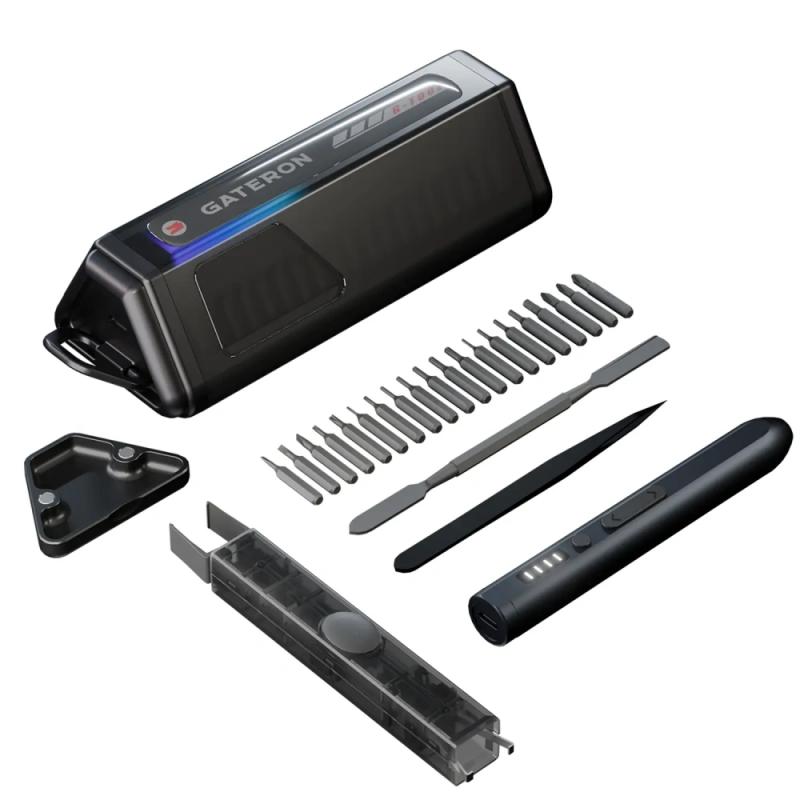
The GATERON Custom Keyboard Tool Kit packages the core mechanical workflow into a 25-in-1 system. The official configuration includes:
- 20-piece screwdriver bit set
- 1 multi-function pry tool
- 1 GATERON Twins 2-in-1 DIY Tool
The Twins 2-in-1 tool combines a keycap puller and switch puller. Its spring-loaded clamping mechanism is designed to retain the removed component until the press-to-release mechanism is activated. That is useful during repeated switch work because removal and part handling become one controlled operation rather than two separate steps.
Tool Storage Is Part of the Engineering
Organization is often overlooked when discussing the Essential Tools for Custom Keyboard Builds.
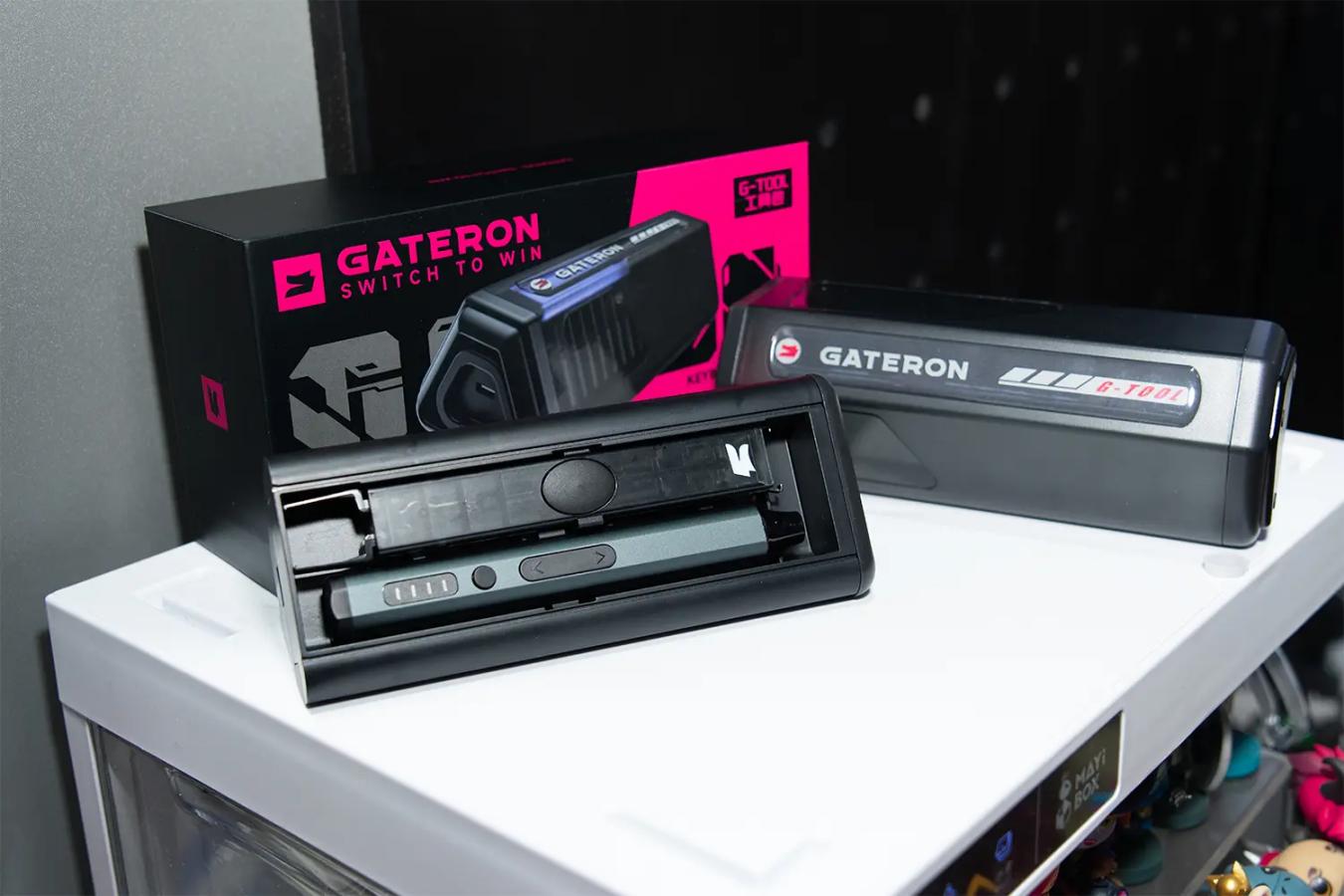
The GATERON kit incorporates a hidden lever-action screw tray with one-button ejection, along with a retractable pull-hook and slide-out storage mechanism.
This addresses a real workshop problem: fasteners should remain associated with the build while the case is open. A missing screw can change compression or simply create unnecessary troubleshooting later.
Designed From a Keyboard Manufacturer's Perspective
GATERON's approach comes from a broader manufacturing background. The company develops mechanical, optical, and magnetic keyboard switches with independent R&D, in-house mold making, and end-to-end production capabilities. GATERON also states that its manufacturing system uses inspection throughout production and holds certifications including ISO 9001, UL, and IATF 16949.
That experience shapes how we think about keyboard tools: consistency, access, fit, and repeatability matter more than simply increasing the tool count.
How to Choose Your Keyboard Toolkit
Before buying the Essential Tools for Custom Keyboard Builds, check whether your setup covers:
- The fasteners used by your keyboard;
- Safe switch and keycap removal;
- Non-destructive case opening;
- Stabilizer and small-part handling;
- Secure screw organization;
- Future maintenance, not just initial assembly.
If you only change keycaps occasionally, a complete toolkit may be unnecessary. For builders who repeatedly assemble, tune, and maintain keyboards, consolidating these functions becomes much more practical.
Build With More Control, Not More Tools
The Essential Tools for Custom Keyboard Builds are ultimately about process control. A well-designed toolkit should help you work cleanly from the first screw removed to the final switch installed.
For builders who want those core functions organized in one system, the GATERON 25-in-1 Custom Keyboard Tool Kit brings together precision fastening, component removal, case access, fine-part handling, and magnetic screw storage in a keyboard-focused design.
Explore how the GATERON Custom Keyboard Tool Kit fits into your next build or maintenance workflow.
FAQs
Q1. What is included in the GATERON Custom Keyboard Tool Kit?
The GATERON kit includes an electric screwdriver, 20 screwdriver bits, precision tweezers, a multi-function pry tool, a Twins 2-in-1 DIY Tool, and a magnetic screw tray.
Q2. How many tools are included in the GATERON tool kit?
The GATERON Custom Keyboard Tool Kit is a 25-in-1 system designed for keyboard assembly, disassembly, tuning, and maintenance.
Q3. What is the GATERON Twins 2-in-1 DIY Tool?
It combines a keycap puller and switch puller in one tool, allowing builders to remove both components without carrying separate pullers.
Q4. Is the GATERON tool kit suitable for hot-swap keyboards?
Yes. It includes tools for switch removal, case disassembly, fastener handling, and routine maintenance commonly required for hot-swap keyboards.
Q5. Can the GATERON tool kit be used for soldered keyboards?
It can handle the mechanical assembly and disassembly tasks, but soldered keyboards still require separate soldering and desoldering equipment.



