When exploring clicky keyboard switches, a key distinction is in how the switch produces its click sound. One prominent variation is the Click Jacket, the other the Click Bar. This distinction is most important to those looking to get the best combination of sound and. This is especially true for those who and want a clicky keyboard that balances sound with a little character.
What Makes a Switch "Clicky"?
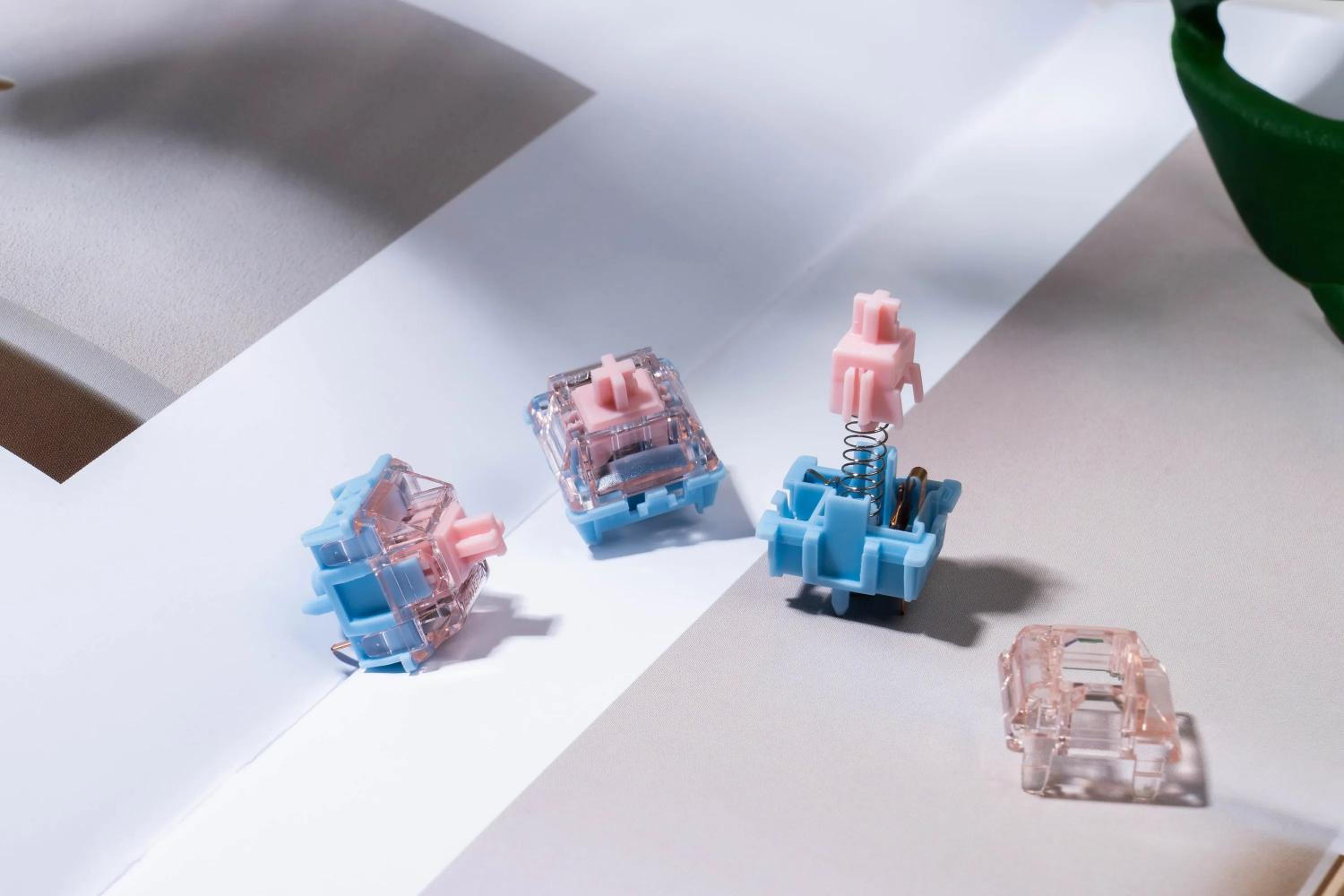
Before discussing mechanisms, a brief overview of mechanical switch anatomy is necessary. Switch components include a housing/shell with an aperture, a stem, a blade, and a spring. The blade of the switch rests on the upper housing and the spring resides in the lower housing. The stem then traces the path of the blade. The mechanisms of these structures then determine the features of a switch (linear/tactile/clicky).
In linear switches, the stem feet are straight and smooth. In tactile switches, they feature an elevation—the familiar "tactile bump". But clicky switches are different: their stem feet are designed to create an audible click, and they achieve this through one of two distinct engineering approaches.
The Click Jacket: The Traditional Approach
How It Works
The Click Jacket mechanism is the older, more traditional design. In a click-jacket switch, the stem is divided into two parts. The inner core (the pole and mounting mechanism) moves independently from the outer jacket (which contains the feet). As you press down, the jacket slides along the stem until it passes the contact leaf—at which point it "jumps" downward and slams against the bottom housing, producing the characteristic click sound.
Here are the key characteristics of Click Jacket switches:
- Sound profile: the downward motion of the stem only produces a single, distinct click. An upstroke generates a much quieter sound.
- Tactile sensation: the bump and click happen at the same moment, but the sensation does feel quite "mushy"or less premium. This is particularly notable in click jackets compared to click bars.
- Cost and availability: being the most widespread clicky mechanism, production is cheaper. Cherry MX Blue are a great example.
- Sound character: Often described as hollow, dull, or "plastic-like" in comparison to click-bar alternatives.
The Click Bar: The Modern Evolution
How It Works
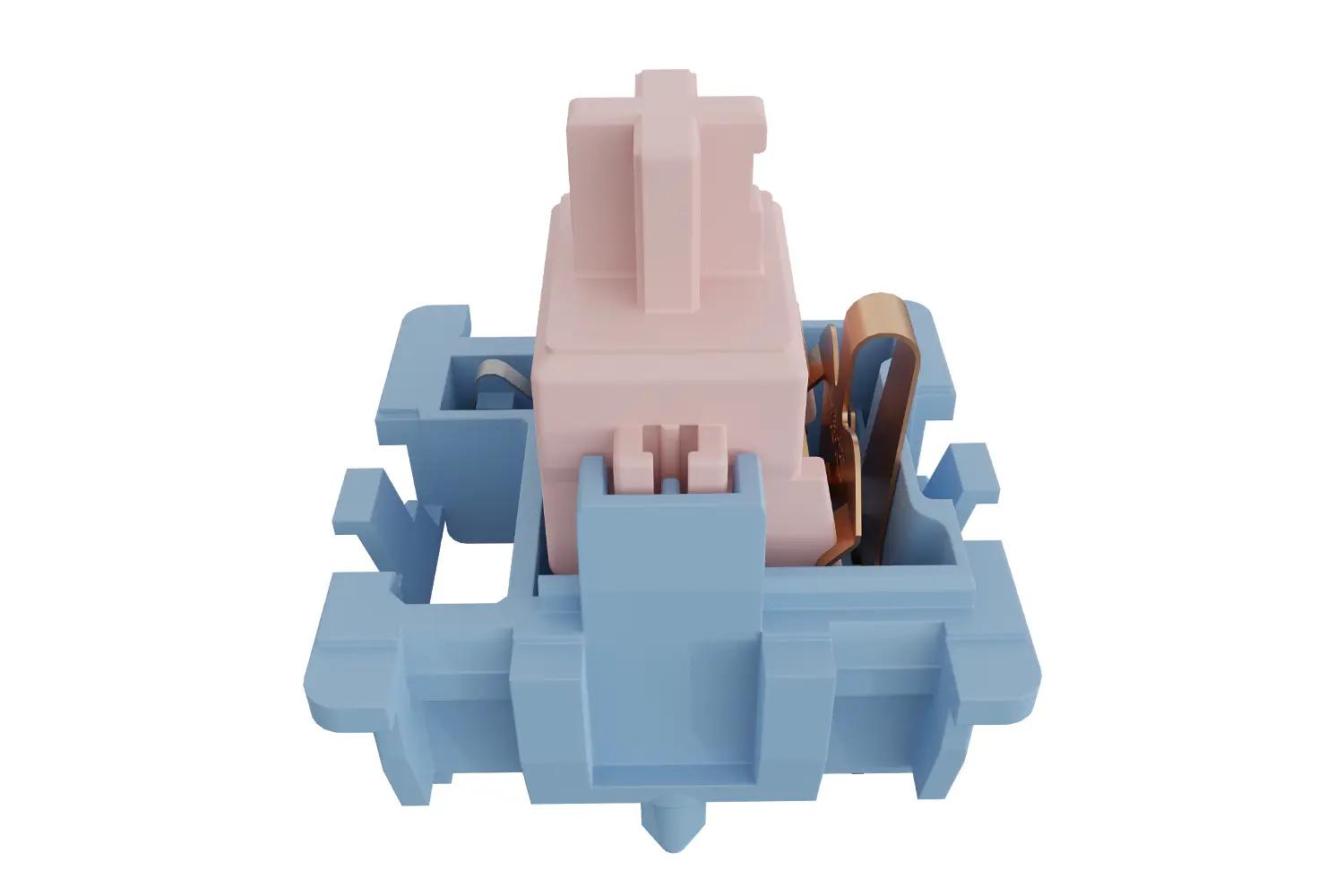
The Click Bar represents a more refined engineering approach. Instead of a split stem, the click-bar switch features a one-piece stem. The click is generated by a small, springy metal bar located at the back of the lower housing. As the stem descends, a foot on its back presses against this metal bar. The stem will hit the housing after passing over the bar and cause a momentary metallic clicking.
Here are some of the features of Click Bar switches:
- Sound profile: Two noticeable clicks are heard per keystroke, with the louder of the two heard during the keystroke downward, with the reverse keystroke being of a softer volume. Due to this profile, there is a sense of an acoustic completion with each keystroke.
- Tactile feel: An overall sharper tactile feedback is achieved.
- Durability: The mechanism's metal bar is more robust and reliable. In contrast, click-jacket designs tend to develop rattling sound issues over time.
- Sound character: Because of the described characteristics, the sound has a typewriter-esque quality to it.
Head-to-Head Comparison
|
Aspect
|
Click Jacket
|
Click Bar
|
|
Stem design
|
Two-piece (inner pole + outer jacket)
|
One-piece
|
|
Click mechanism
|
Plastic jacket slams into housing
|
Metal spring-bar snaps against housing
|
|
Clicks per press
|
One (downstroke only)
|
Two (downstroke + upstroke)
|
|
Sound quality
|
Hollow, dull, plastic-like
|
Crisp, metallic, refined
|
|
Tactile feedback
|
Softer, less defined
|
Sharper, more pronounced
|
|
Manufacturing cost
|
Lower
|
Higher
|
|
Representative switch
|
Cherry MX Blue
|
Kailh Box series, GATERON Melodic
|
GATERON Melodic: Click Bar, Perfected
The GATERON Melodic Clicky Switch represents the click-bar mechanism elevated to an art form. Unlike traditional click-bar designs (such as those found in Kailh Box switches), GATERON has implemented a redesigned click leaf mechanism that delivers what many describe as the most refined clicky experience available.
What sets the Melodic apart:
🔹 Refined sound signature: The Melodic produces a "clear, melodious sound" that is crisp and airy rather than harsh or piercing. It's the kind of switch that makes you want to type.
🔹 Factory pre-lubrication: GATERON's mature "Family" pre-lubrication technology reduces noise and ensures a super-smooth typing feel straight out of the box. This is a game-changer for those seeking clicky keyboard switches—the lubrication tames the sharp edges of the click without sacrificing its character.
🔹 Key Specifications:
- Stem: POM (self lubricating, Light Pink)
- Bottom Housing: Nylon (Light Blue)
🔹 Features a dual-rail stem design: Minimizes wobble and aids in typing stability.
🔹 Keyboard Life: 60 million keystrokes – a perfect option for gamers and typists alike!
🔹 Gold Alloy Contacts: Antioxidant Technology provides durable connection.
Melodic's click leaf stands out by its mechanism and the precision of the tactile bump it delivers.
Which Mechanism Fits You the Best?
Choose Click Jacket if:
- You want a more affordable option to available clicky switches.
- You want a quieter click.
- You are perfectly fine with the classic Cherry MX Blue sound.
Choose Click Bar (especially GATERON Melodic) if:
- You are looking for a more defined click sound with a superior dual-stroke acoustic.
- You want a quieter clicky switch that won't disturb your coworkers/family.
- You want a smoother experience right out of the box thanks to factory pre-lubrication for an rattle-free switch.
- You want a switch designed for perfection with a beautiful acoustic ease of use and functionality.
Final Verdict
When comparing clicky switches, particularly the GATERON Melodic, the click-bar mechanism is the clear winner. It is designed with amazing sound and function, and is far superior to traditional click-jacket designs. For those on the hunt for clicky keyboard switches that look and sound amazing and won't disturb the peace, the Melodic is an amazing option.
No matter if you write, program, or just have a hobby, knowing the tech behind your tools can make typing less tedious and more enjoyable. With switches like the GATERON Melodic, the experience of typing gets even better.
FAQs
Q1. What distinguishes Click Jacket and Click Bar?
A Click Bar has an integrated split stem, and a metal spring-bar that slaps the housing, where Click Jacket has a one-piece stem with a plastic jacket that hits the housing, creating a less exciting sound and a more defined tactile sensation.
Q2. What does GATERON Melodic have, Click Bar or Click Jacket?
It has an innovated Click Bar with a new designed click leaf, offering a musical and clear click with a strong tactile springback.
Q3. Why is the Melodic described as "melodic" instead of just "clicky"?
Its click bar produces a clean, airy, and musical sound – less piercing than traditional blue switches – which many users find more pleasant and less fatiguing.
Q4. Is factory pre-lubrication important for clicky switches?
Yes. It reduces spring ping, dampens harsh overtones, and smooths the overall feel. The GATERON Melodic comes pre-lubed with GATERON's "Family" technology, so you get a refined experience right out of the box.
Q5. Can I use Click Bar switches in an office environment?
Absolutely – especially models like the Melodic that are pre-lubed and designed for a quieter clicky profile. They provide satisfying feedback without disturbing nearby colleagues.



